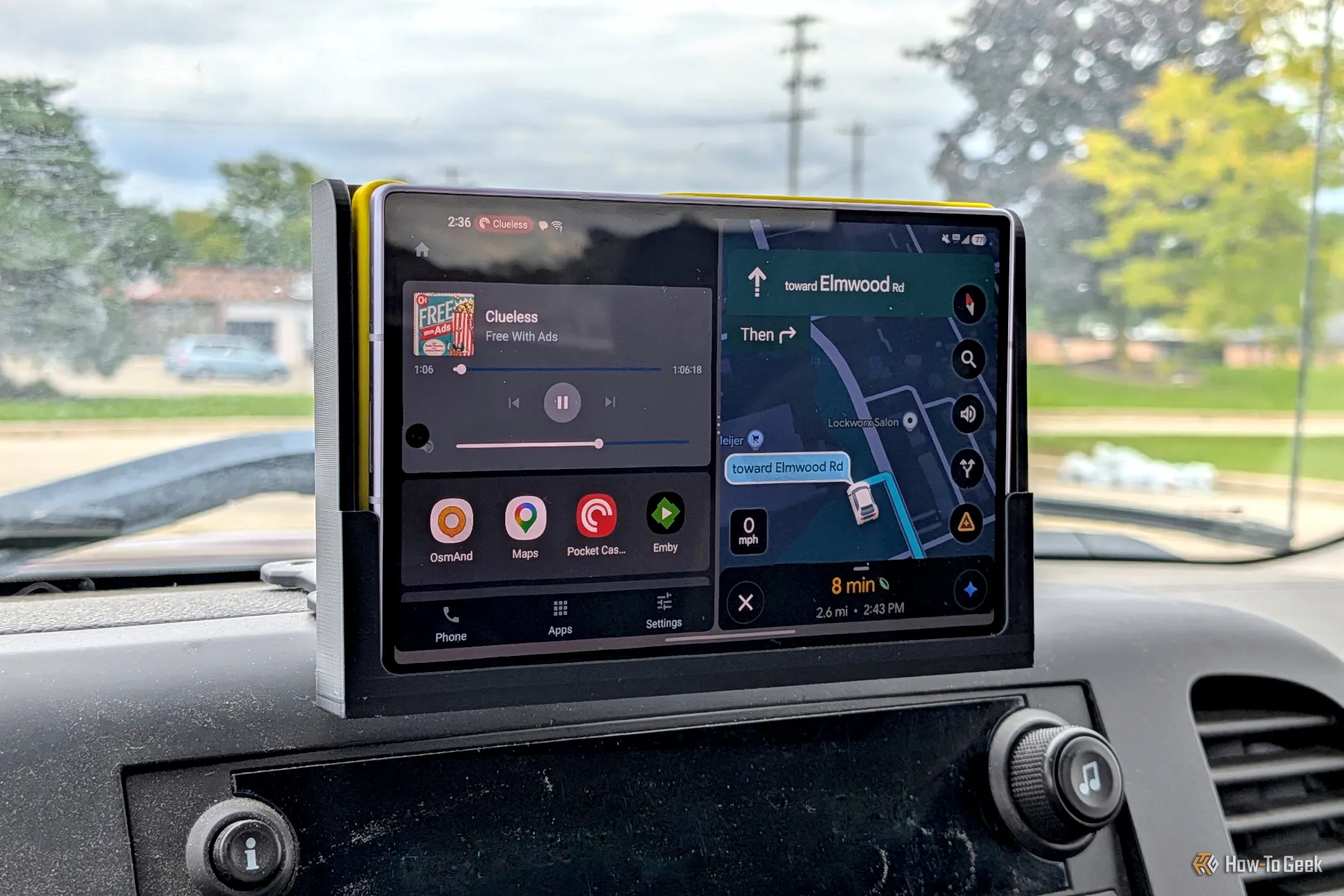
Some of us are still driving around in vehicles without fancy infotainment displays. There are several methods for bringing Android Auto into a car, but what if you just want to use your phone? I came up with a way to optimize my phone for the car without custom launchers or emulators.
This was not my first attempt at using my phone as an Android Auto display. However, recent changes caused me to reevaluate my previous setup. The good news is, I believe I now have something that works a bit better and more reliably.
Before I get too far, I want to mention that I used Samsung's Modes & Routines app for this project. It's only available on Galaxy devices. You may be able to replicate the process with third-party automation apps.
In the past, I've written about using an old tablet as a wireless Android Auto head unit and a phone itself as an all-in-one solution. Both of these projects took advantage of an excellent app called "Open Headunit."
The Open Headunit app is essentially an Android Auto emulator. It can receive transmission from a secondary device, like the display in a vehicle, or run Android Auto directly from the phone it's installed on. The latter was how I liked to use it. I could simply slide my phone into a mount in my car and not worry about keeping some other device charged up.
The thing that made this method even better was the easy automation.
Source link