Diana's interest in technology spans many years. Her favorite areas include consumer software, everything Windows-related, VPNs, and graphic design tools. She's always on the lookout for tools and features that make tasks easier, boost creativity, and improve everyday life. When she finds something interesting, chances are she'll have something to say about it.
Adobe is constantly adding new features to its Creative Cloud toolbox, and Photoshop’s new AI-assisted Editor is the latest player in the mix. It should make editing tasks, from background removal to adding new objects, easier and faster.
As someone used to the conventional ways of doing things in Photoshop, I was curious about how much time this new addition could save me. After hundreds of hours of learning the old-fashioned tools and techniques (Bézier curves still haunt me), I’m not exactly eager to throw years of muscle memory out the window. On the other hand, I don't want to make things harder for myself just because I can.
So I put the AI to the test against techniques I've used for years.
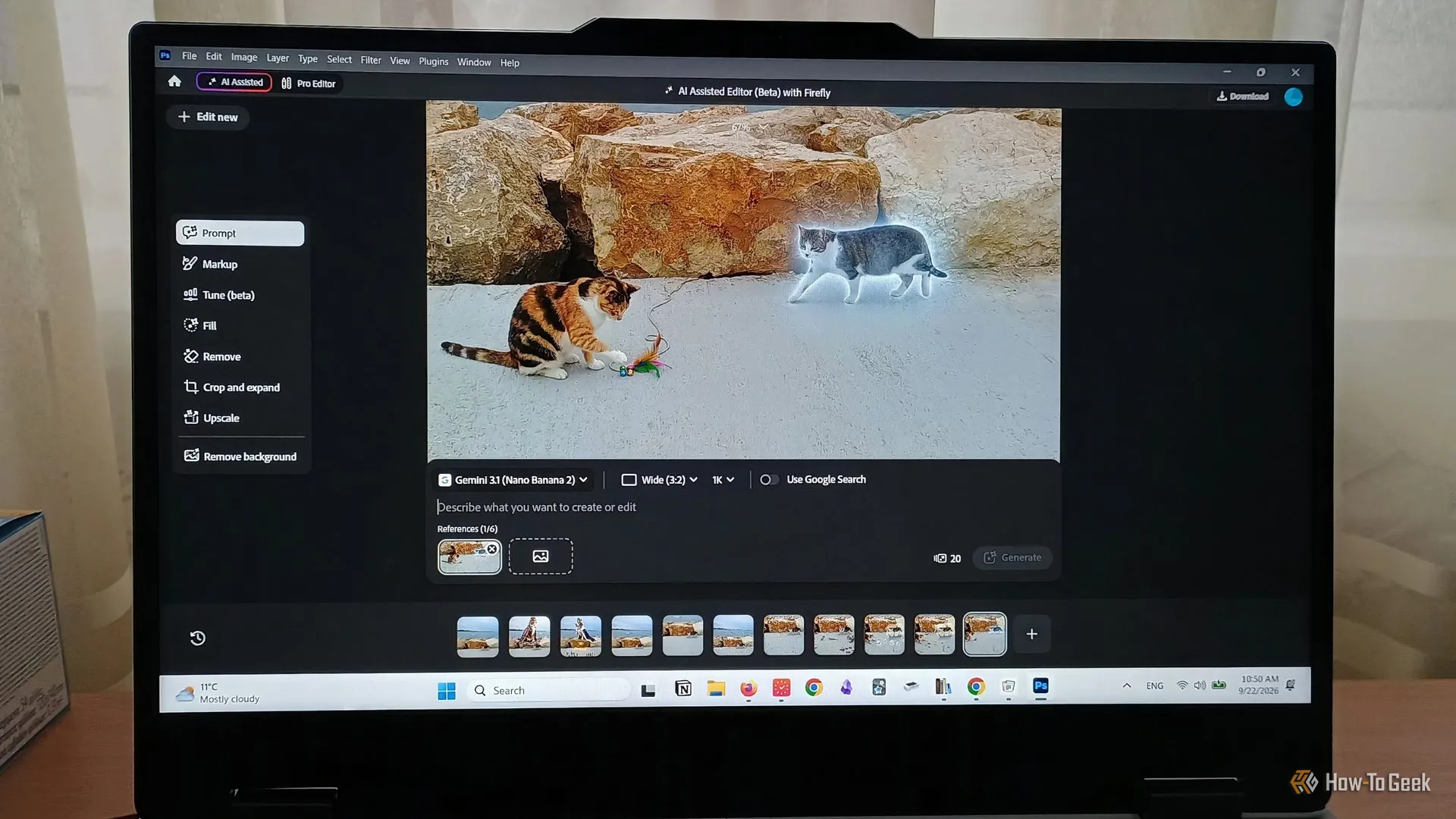
Think of the AI Assisted Editor as a beginner-friendly, friction-free spin on the original. Photoshop is complex and packed with easy-to-overlook features, but this minimalist workspace strips it down to the basics.
Your toolbox is made up of 8 main features with varying use cases:
You can flip between the AI Assisted and the original editor (now called Pro Editor). The AI adjustments transfer into a flattened layer, which isn’t ideal for customization, but it can work.
Source link