Oliver has been writing about mobile and the wider technology space for more than a decade with bylines on TechRadar, CNET, Inverse, and more.
With experience covering breaking news, writing in-depth product reviews, and sharing more than a few opinions, Oliver has been the go-to expert for some of the biggest publications both online and in print.
It's fair to say that the current state of USB naming conventions can be confusing. But if you want the fastest connection, USB4 is where it's at. USB4 cables generally support speeds of up to 40Gbps, and USB4 v2 supports up to 120Gbps, but the standard requires 20Gbps as a minimum.
However, there's a good chance that you'll plug your high-speed SSD into a USB4 port and experience terrible performance, no matter the specs on your drive, device, or cable.
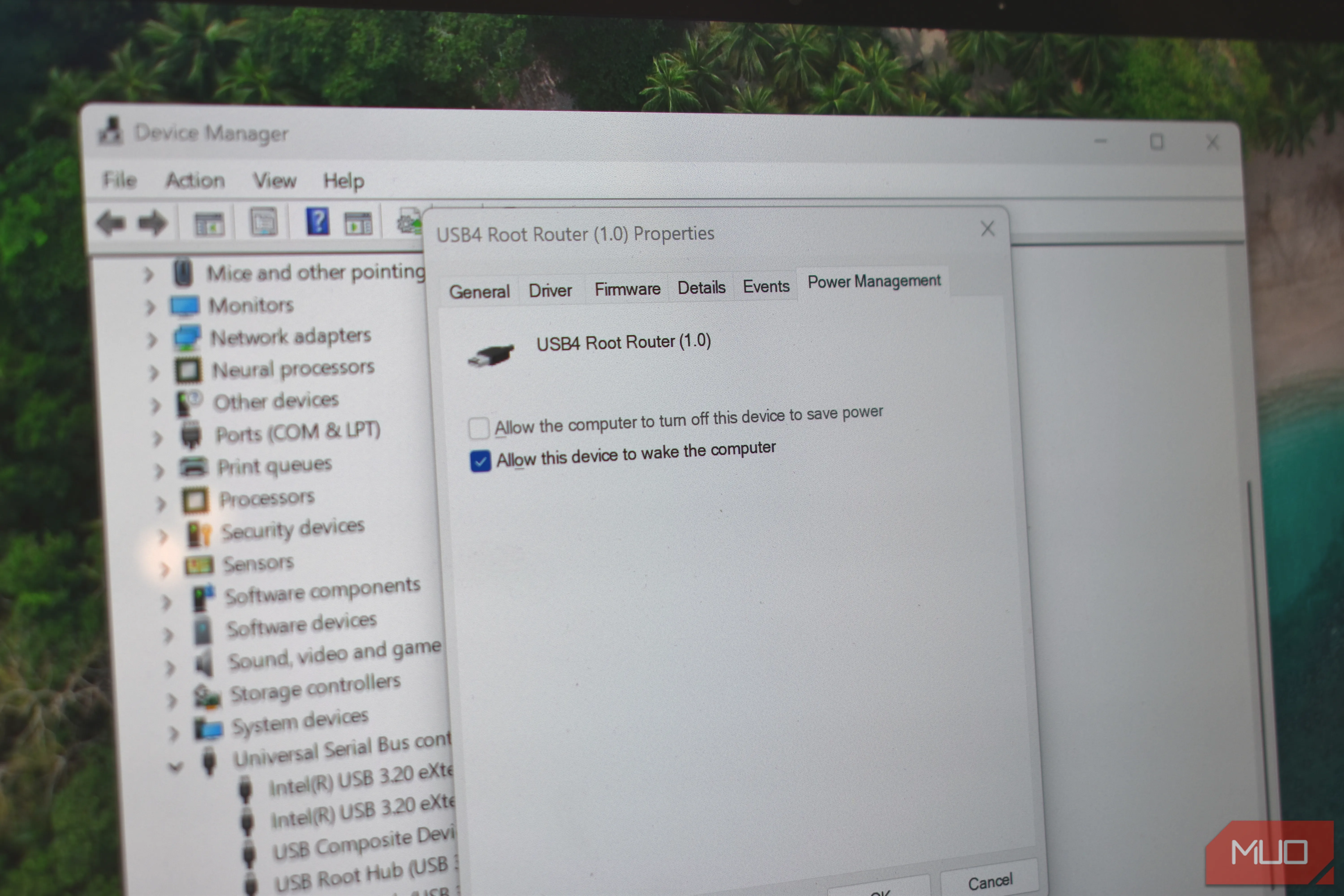
But that disappointing performance probably isn't down to a subpar cable or a failing SSD. Even with a brand-new high-spec SSD and a great-quality cable, your PC might be the problem. An aggressive power management setting could be throttling your USB connections by as much as 80%.
Modern computer operating systems, and especially Windows 11, make aggressive use of two power management features that can be a death knell for performance. Link Power Management (LPM) and PCIe Active State Power Management (ASPM) are regularly used across USB4 and Thunderbolt controllers with the aim of preserving battery life on laptops. The theory makes plenty of sense — laptop battery life has gotten better in recent years, but it can always be better.
Source link