I’ve never had much to complain about with PuTTY or WinSCP on their own. PuTTY is still one of the straightforward ways to use SSH in Windows, and WinSCP handles file transfers very well. The hassle starts when I’m already connected over SSH, need to pull down a file, and then open a second app with the same server details before reaching for a separate port-forwarding command for whatever comes next.
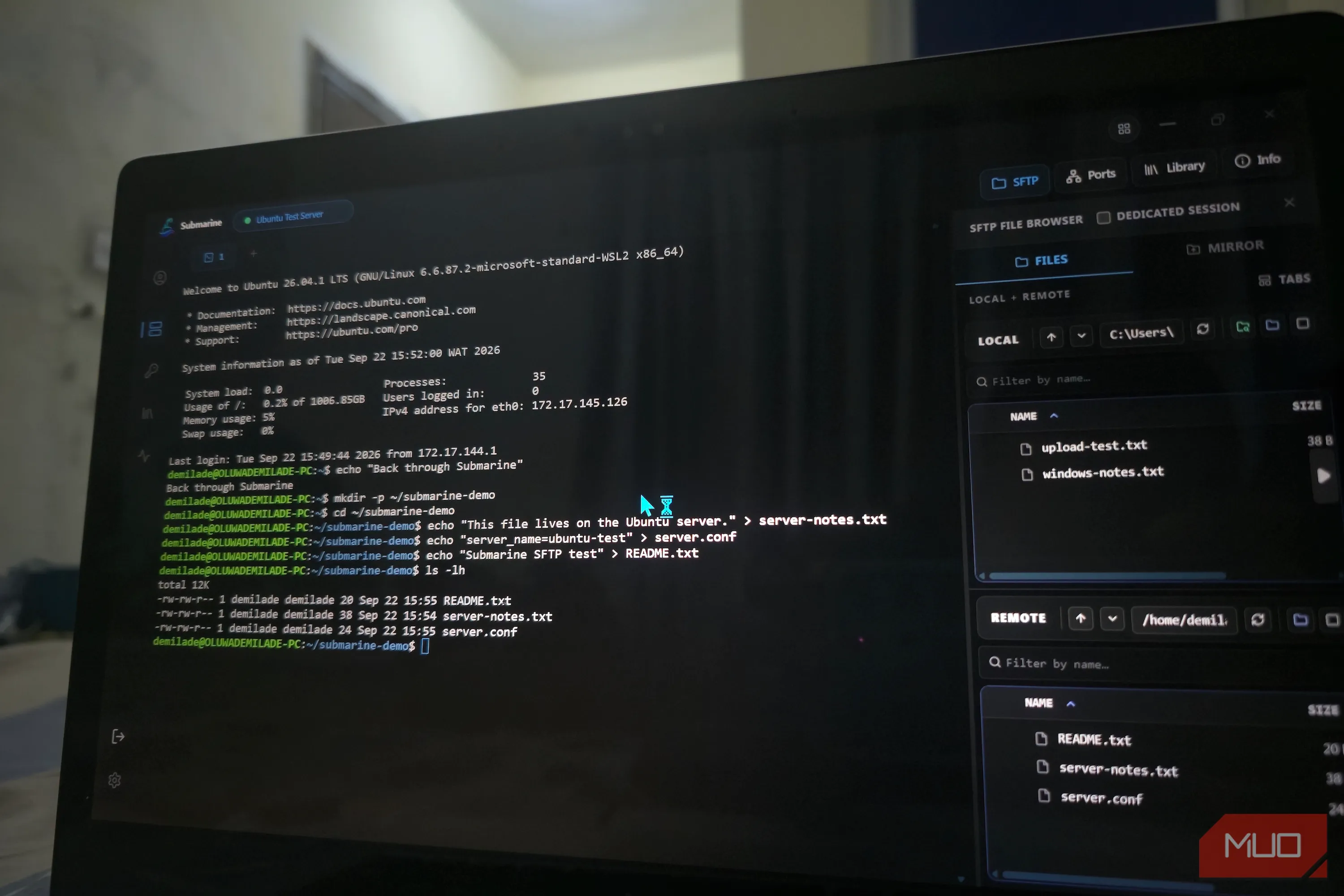
I recently came across Submarine, an MIT-licensed SSH client that brings the terminal, SFTP browser, and port forwarding together around the same saved server. I set up an Ubuntu machine to see whether that cleaner setup held up outside the feature list. After moving files back and forth, editing remote configs, changing permissions, and tunneling a private web service back to Windows, I could handle the whole routine without leaving Submarine.
Submarine is available for Windows, macOS, Linux, and Android, with the Windows build offered as either an EXE or MSI. The Windows build I tested was unsigned, so Windows 11 hit me with a Microsoft Defender SmartScreen warning before the installer would run. The project documents that behavior, so I knew what I was looking at, though it does reinforce that Submarine is still a fairly young project.
On first launch, Submarine asks you to create a password-protected profile that serves as an encrypted vault for saved servers and credentials. From there, adding a machine follows the usual SSH routine with a hostname, port, username, and either password or key authentication.
Source link