On Windows 11, Microsoft is overhauling the Windows Search feature to make it faster, more accurate, and more useful. The experience will go beyond finding apps, files, and settings by letting users perform common tasks directly from the Taskbar. At the same time, upcoming improvements will add file previews, richer web results, and Copilot integration.
The redesigned Search experience is in development, but a preview is already rolling out through the Windows Insider Program, with more features planned for later this year and a deeper integration with the Start menu planned for 2027.
Here's what you need to know about the new Windows 11 Search experience.
The traditional Windows Search experience has been designed primarily to find apps, files, settings, and web results. However, its performance and ability to understand search queries have always been questionable.
The new Windows Search experience addresses these limitations with a redesigned interface built on WinUI 3, which Microsoft says improves performance and reduces memory usage. It also improves search accuracy by better matching typos and synonyms.
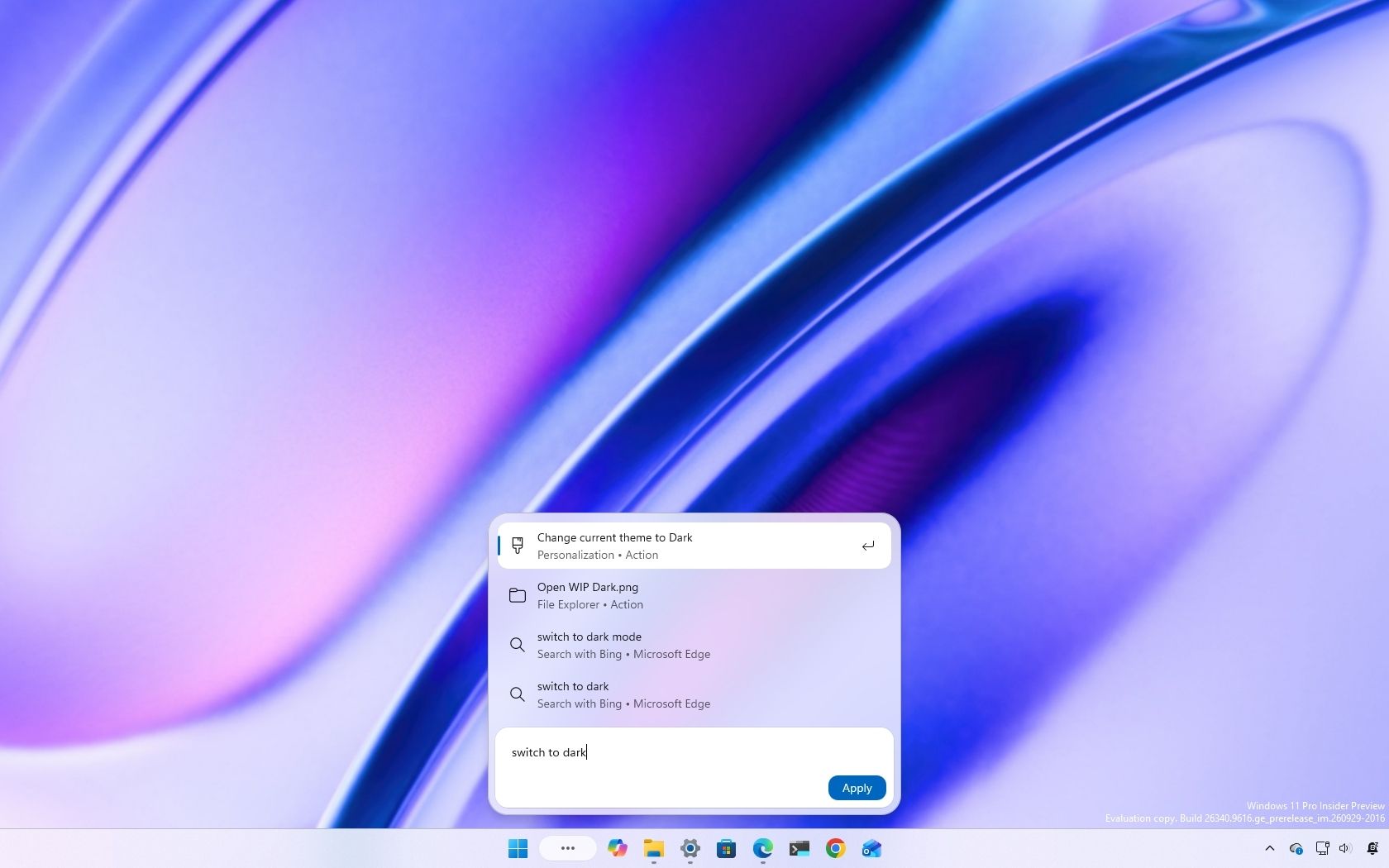
Beyond finding things, the new Search lets you perform certain actions directly from the Search box in the Taskbar. For example, you can type "switch to dark mode," "turn on Bluetooth," or "mute" to change a setting or adjust your computer without opening another app or navigating through additional screens.
Microsoft is also working on richer file previews, more detailed search results, and inline web answers that let you find information without leaving the experience.
Source link