Chrome today announced the latest features for Safe Browsing Enhanced Protection. Google says this mode makes users ten times safer from phishing, social engineering, notification abuse, and other scams compared to Standard Protection.
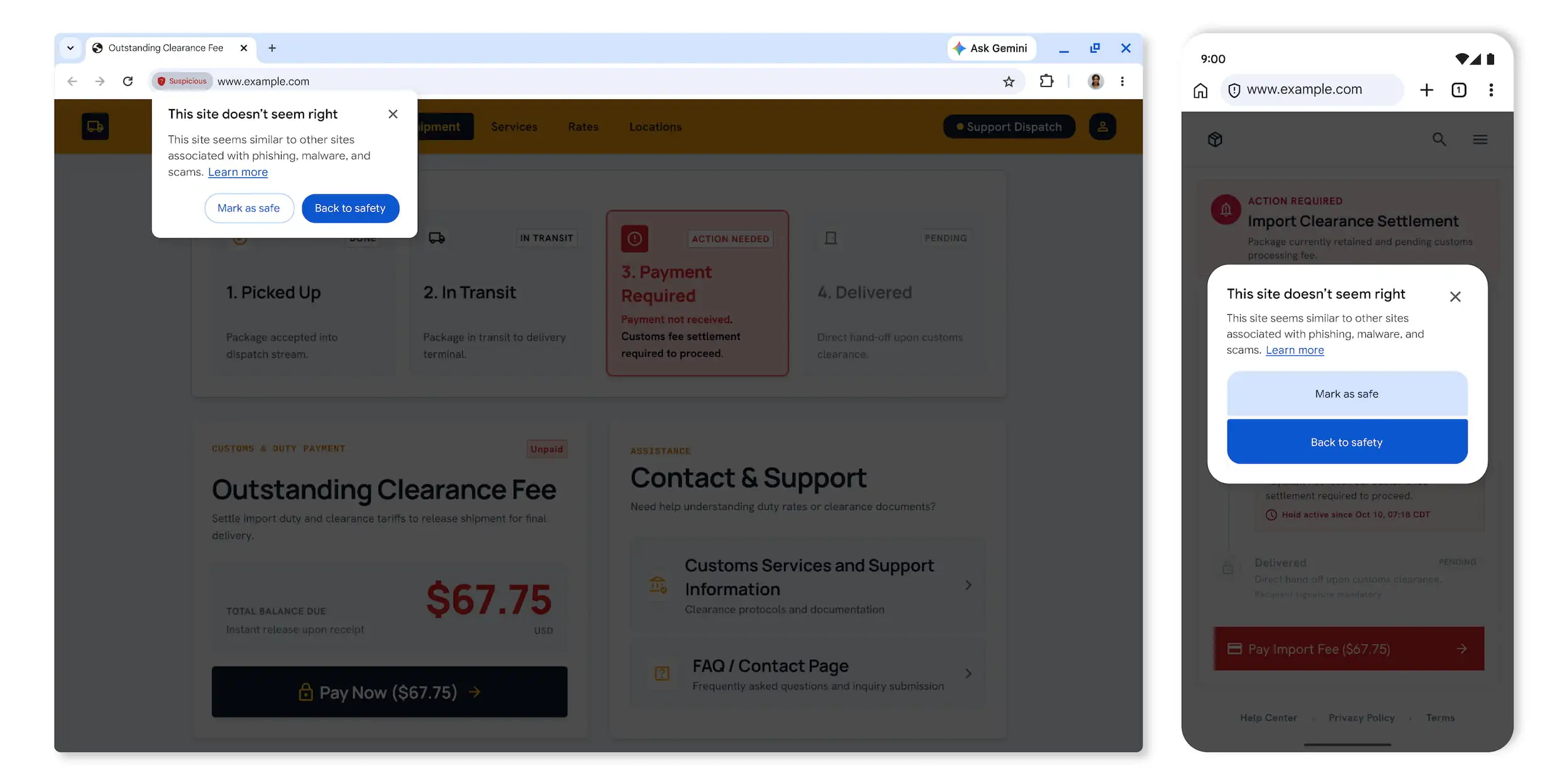
Chrome is adding suspicious site warnings in the address bar “when a page exhibits deceptive patterns commonly associated with known malicious sites.” There are two tiers:
Suspicious sites (above) will trigger a shield icon in the Omnibox, with a dialog box letting you “Mark as safe” or go “Back to safety.”
Dangerous site alerts (below) will continue to appear as a “full-page red interstitial warning.”
Meanwhile, Chrome is continuing to boost scam detection by leveraging Gemini models in the cloud after using on-device approaches. This protects Enhanced Protection users from a broader range of threats, including fake antivirus and browser update scams.
This model evaluates page content to analyze key indicators, such as the brand represented, the intent of the page, and a scam likeliness score, giving us rich threat data needed to identify deceptive sites.
Safe Browsing uses the Gemini analysis “in combination with domain reputation and other security signals.” Google will process page content ephemerally, “meaning it is never logged, retained, or used to train models.”
The final Enhanced Protection update defends against ClickFix social engineering that “tricks users into manually copying and executing malicious commands on their own computers in order to ‘fix’ a fake issue.” In reality, this is used to “carry out malicious actions such as downloading and setting up malware.”
Because these utilities are native to the system and trusted by security software, bad actors use them to blend in and hide their activity, and by shifting the download process out of the browser and into the terminal, attackers completely sidestep existing Chrome and Safe Browsing download protections.
Source link