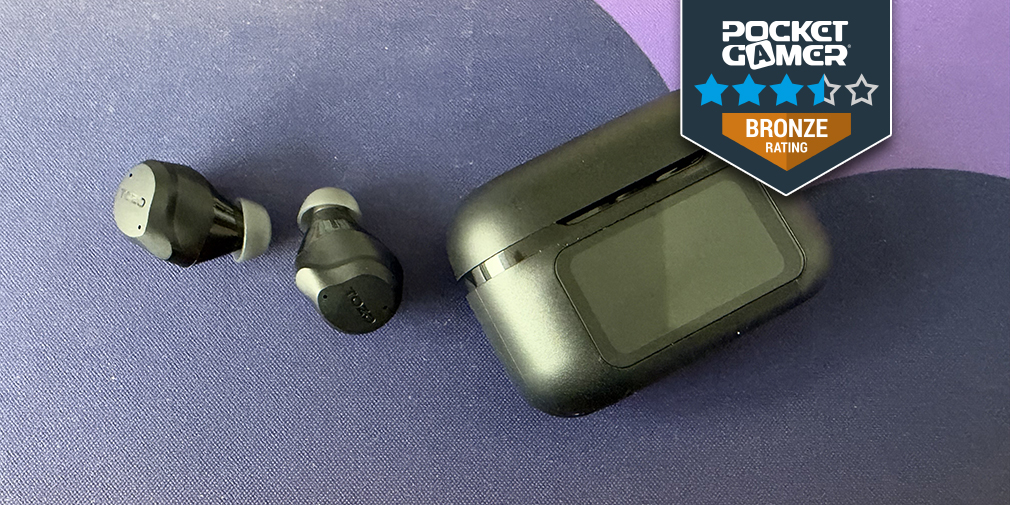
The TOZO NC9 Pro has some very interesting features for a pair of headphones, especially at this price point. This pair of earbuds has a really interesting case, which has a touch screen and acts a lot like a phone. But before we dive into that, let's talk about the earbuds themselves.
The TOZO NC9 Pro is a small set of earbuds that have a thicker bit to them, coming out towards the bottom of your ear. These are heavier than my normal pair of earbuds, and as such, I didn't find them as comfortable. I do prefer more lightweight fixings on mine, but that is a personal preference. There are a few pairs of ear nubs within the box, so that you can adjust them to the size that you prefer for your ears.
When you first start setting up the earbuds, they are easy to connect via Bluetooth by holding down a small, flush button on the back of the charging case, with the top open. They then appear on your phone! Before doing this, however, your case does prompt you to set it up. You'll pick the language you want to see the case in, and a QR code appears asking you to download the TOZO app on your phone.
The case itself has a slider bar to unlock, the time, and how charged both the case and the earbuds are when they are placed in. Sliding to unlock the case does give you some settings: volume, sound mode, find your earbuds - that sort of thing, which is a nice touch.
Source link