I turned off 2G on my Galaxy S24 Ultra for a pretty mundane reason. My carrier already gives me newer network coverage everywhere I normally go, and keeping a decades-old cellular standard enabled didn’t seem especially useful, especially with the security baggage attached to it. Then I started paying attention to my battery at the end of the day.
After disabling 2G, I was getting to bedtime with noticeably more charge during the same kind of everyday use I’d already settled into. I hadn’t touched my 5G settings, started obsessively killing background apps, or changed how I used the phone. Disabling 2G was the only network setting I’d deliberately changed, and there’s a plausible technical reason it may have helped.
On my Galaxy S24 Ultra, the 2G toggle sits just far enough down in Settings that I’d ignored it for ages.
The exact options can vary by carrier and network, so some Galaxy phones may not show the toggle at all.
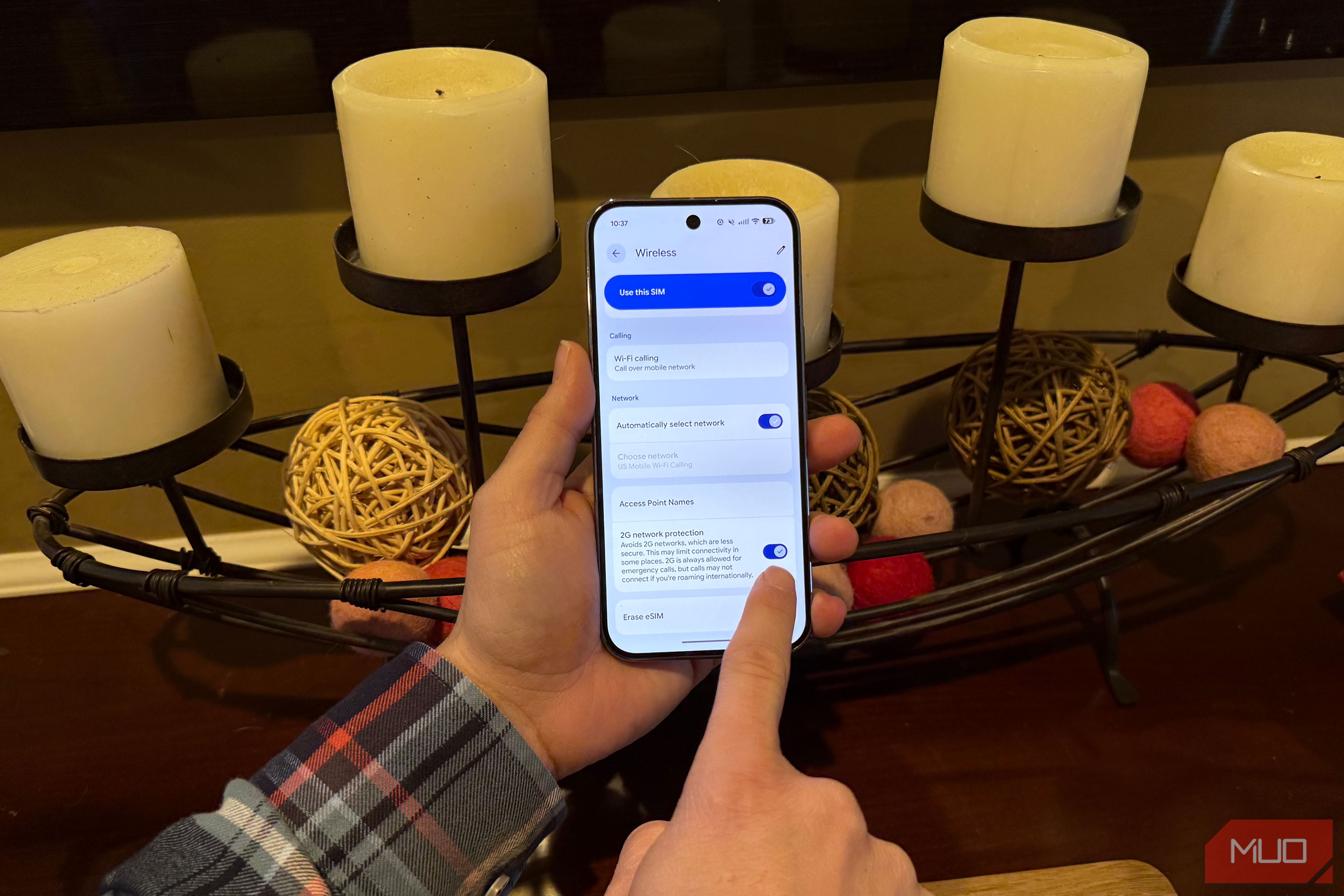
Pixel phones have a similar control called 2G network protection. On supported Pixels, you’ll find it under Settings > Network & internet > SIMs > your carrier > 2G network protection.
Some Android phones that don’t expose a dedicated 2G switch may have another option buried in Android’s testing menu. Typing *#*#4636#*#* into the Phone app can open Phone information, where Set preferred network type lets you choose which cellular technologies the modem can use.
The exact options vary by phone, and some manufacturers disable this menu entirely.
Source link