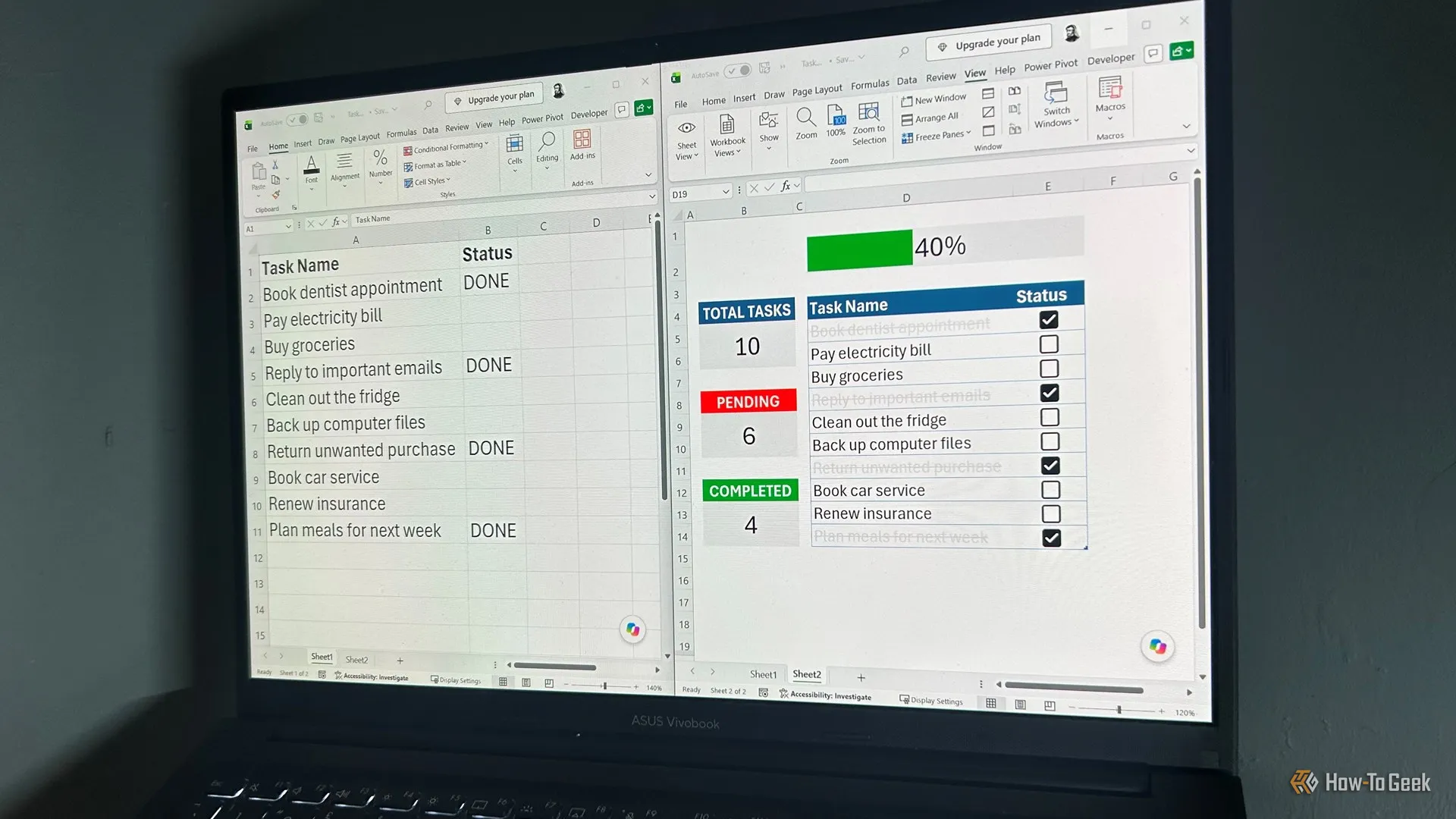
Lots of task-tracking software is costly and comes with more features than you need. I built a dynamic task tracker that does everything I need in three quick steps—and if you have Excel for Microsoft 365 or Excel for the web and a spare 10 minutes, you can too.
Open a blank worksheet and set the font for all cells to 16pt. Then, starting in D4, create two columns called Task Name and Status, and adjust the Task Name column width so there's plenty of room to write your tasks.
Start with 10 ordinary tasks. You can replace them with real tasks later on:
Select the two columns and press Ctrl+T to turn them into an Excel table. When Excel asks whether your table has headers, make sure that box is checked.
With the table still selected, in the Table Design tab, uncheck Banded Rows and Filter Button. This gives your table a cleaner look without unnecessary visual distractions. Also, change the table name on the left side of the same tab to T_Tasks, then press Enter.
Finally, select the Status column, open the Insert tab, and click Checkbox. You'll now be able to check a box beside each task when you've finished it.
That's the basic setup done. Now you can make Excel keep track of what you've actually accomplished.
The key is to use formulas that keep everything up to date as you add and complete tasks.
Before adding the dashboard, though, take a moment to reduce the widths of columns A and C to about 20 pixels .
Source link