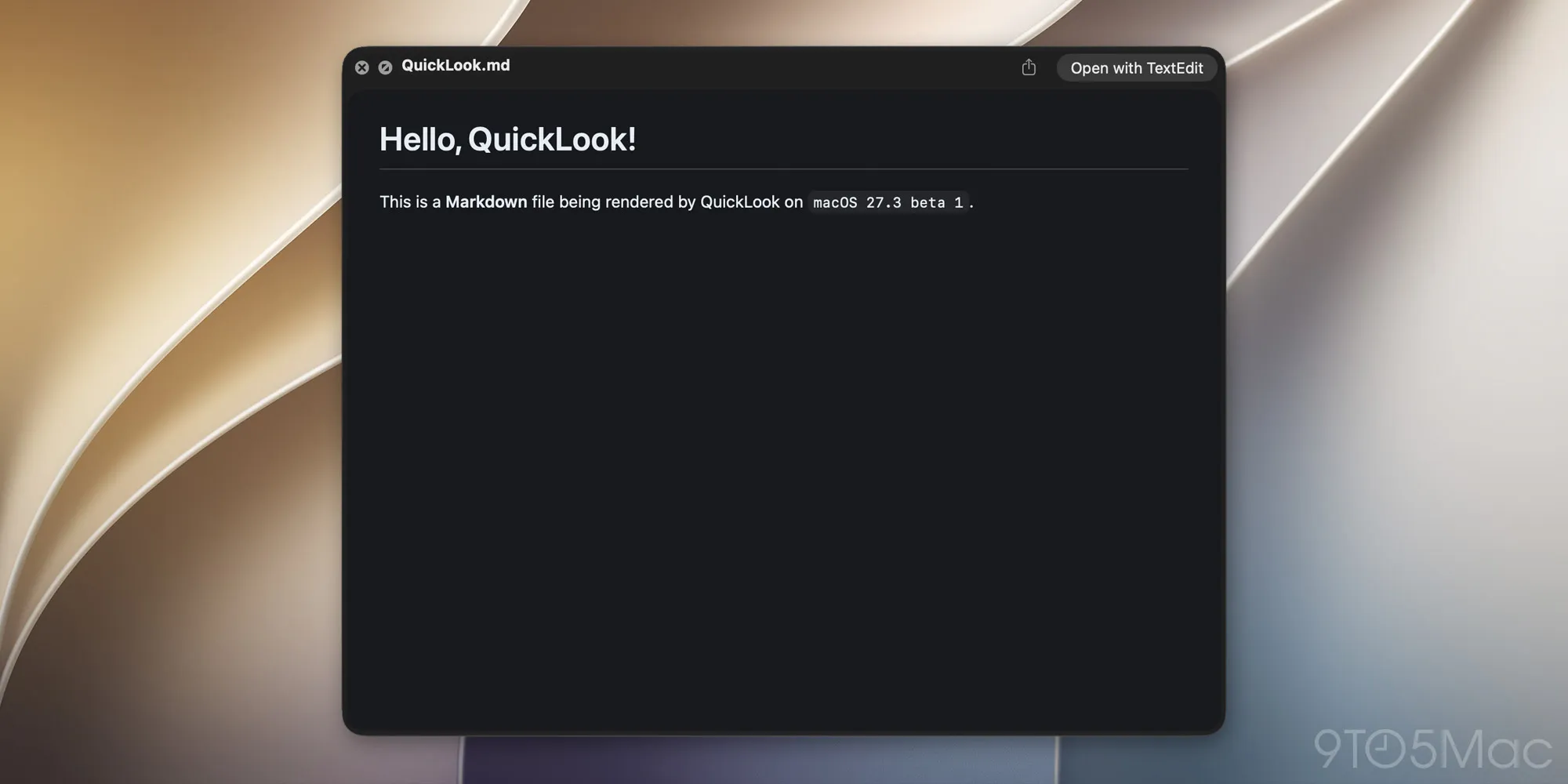
Starting with macOS 27.3, users can preview Markdown files with proper formatting directly in Quick Look. Here are the details.
Apple released macOS 27.3 beta 1 today, with new Safari features, including Vertical Tabs and Adaptive Dark Mode, expanded Siri AI capabilities, and new tools for third-party developers.
Among the smaller changes coming to the Mac is a welcome improvement to Quick Look. As of macOS 27.3 beta 1, .md files are rendered with proper formatting directly in Quick Look, rather than displaying their raw Markdown syntax.
Apple has been expanding Markdown support across its platforms, including the ability to import and export Markdown files in Notes. Markdown has also become increasingly important with the rise of AI agents, which use .md files to store instructions, context, and other information.
In fact, as Federico Viticci noted today on X, Apple’s new Siri AI app skills feature also uses Markdown-based SKILL.md files, allowing developers to provide instructions that help Siri perform complex tasks within their apps.
What a journey for Markdown, @gruber
The new Siri AI developer framework now officially uses skills, with specific Markdown guidance for SKILL .md agent files https://t.co/koi8K541le pic.twitter.com/TF72JJZRXc
For the uninitiated, Markdown is a simple text formatting syntax created by John Gruber in 2004, and has since become widely used for writing documentation, publishing content online (including this very post), and, more recently, providing instructions to AI agents.
Markdown is a text-to-HTML conversion tool for web writers. Markdown allows you to write using an easy-to-read, easy-to-write plain text format, then convert it to structurally valid HTML.
Source link