Sometimes less is more, and the most helpful software update is the simplest.
Think about all the apps on the Apple Watch that you use on a regular basis. You could probably count them on one hand or two. Me? I use the Fitness app most, followed by the Timer function, Messages, Activity, Heart Rate, and Sleep. That means that, out of the 40 or so apps displayed on my Apple Watch home screen, I use one-eighth of them each day.
Also: My favorite 5 Watch OS 27 upgrades – and how to try them yourself
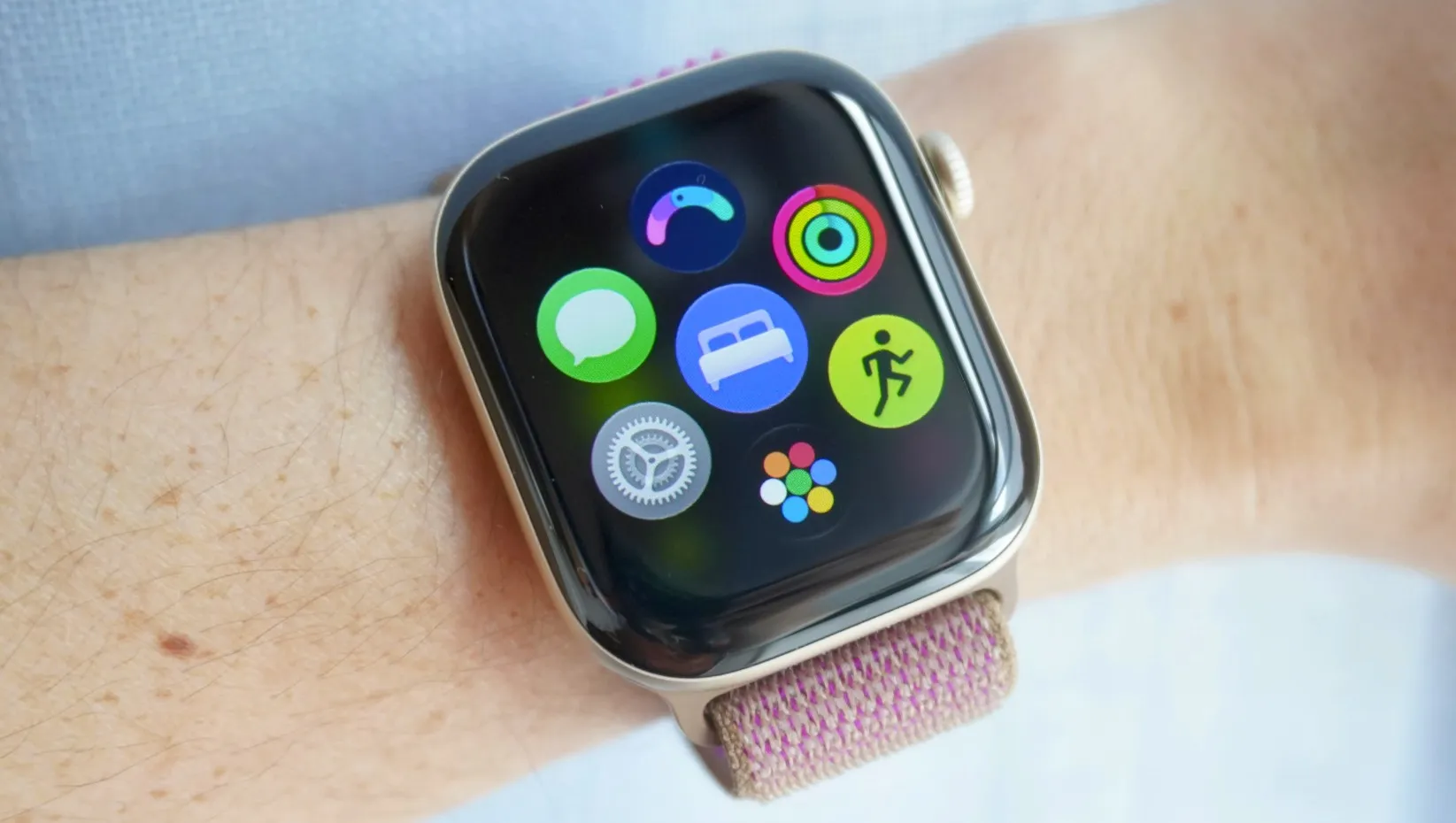
The greatest software updates, in my opinion, don’t fundamentally reinvent a product. They simplify it. The dynamic app view on WatchOS 27 does exactly that.
Previous software generations displayed every app available on the home screen, and the app size on the home screen was as small as a nail’s head. For those with larger fingers, selecting the right apps or smoothly interfacing with the device required extra precision and intention.
Also: Apple Watch Series 12 review: Finally, the health tracker I’ve been waiting for
The dynamic app view keeps your most-used and recent apps front and center, and puts the other dozens of untouched apps on the Apple Watch one more touch away. You’ll see this when you click the Apple Watch’s digital crown. Six of your top apps appear on the screen, and at the bottom is an app bubble that opens to your full home screen.
I found myself using the home screen less and less through this new configuration.
Source link