
During the first half of November, Microsoft rolled out several new Windows 11 preview builds across the Beta, Experimental, and Feature Platforms channels, introducing changes to Search, gaming, Windows Hello, recovery, privacy, accessibility, and more.
After testing these updates, Windows Search stood out most to me, with richer results, inline controls, app discovery, and deeper Phone Link integration. But it’s far from the only change worth watching.
In this recap, I’ll break down 18 of the most interesting Windows 11 features currently in testing, explain what they do, and share which ones I think deserve your attention.
For reference, the features tested in this article appear across the following Windows 11 Insider builds:
Build 29708.1001 also includes additional changes to Windows Hello and Cloud Rebuild.
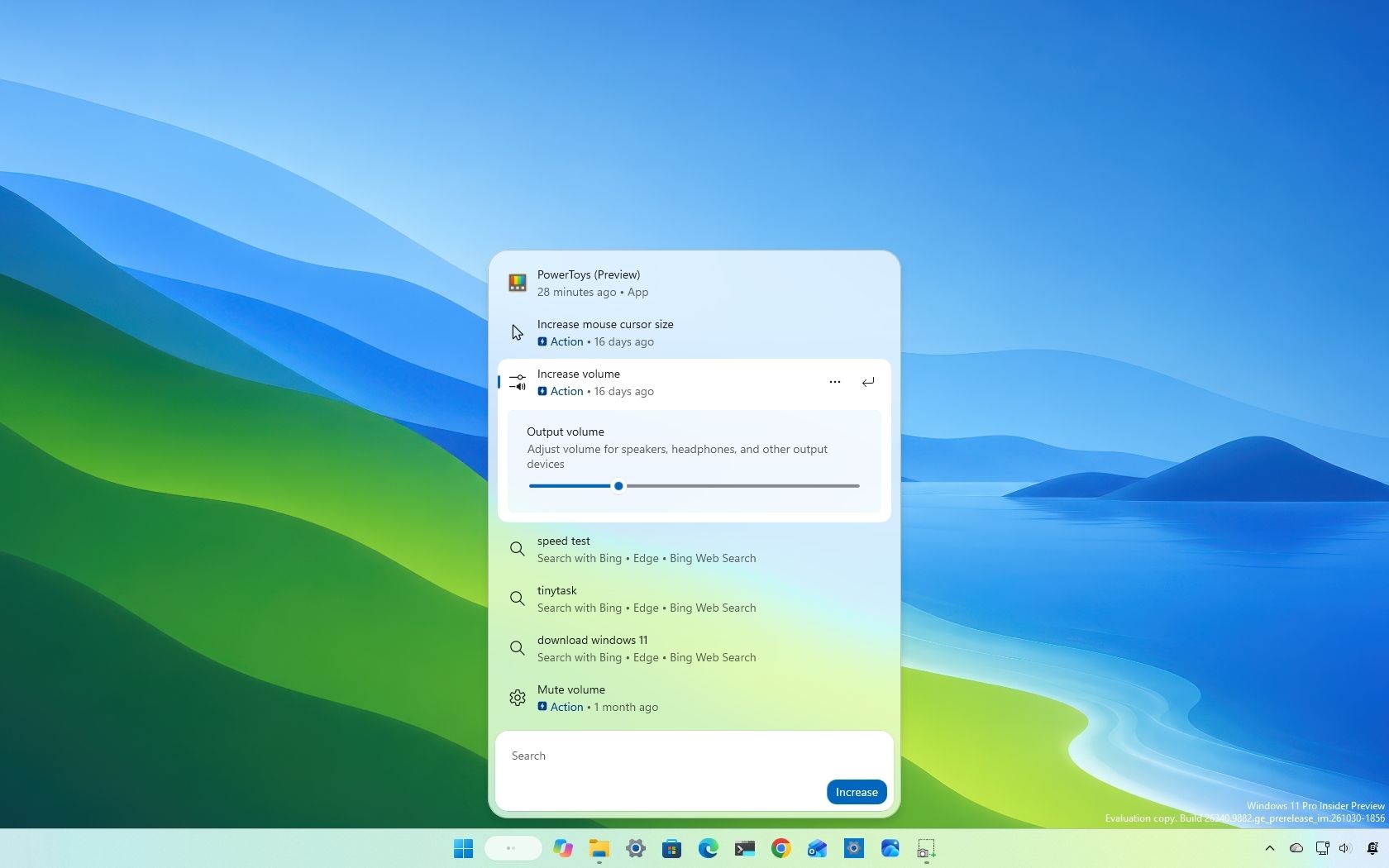
Microsoft continues expanding the new Windows Search experience, and the latest previews increasingly turn Search into a place where you can take action without opening another app or Settings page.
New inline controls let you adjust things such as brightness, volume, and cursor size directly from Search, while richer results, app discovery, Phone Link integration, and other additions continue expanding what the interface can do.
The ability to change system settings directly from the Search interface is a convenient addition that reduces the need to open Settings or navigate away from the Taskbar.
Microsoft is also expanding Phone Link integration. The new experience lets you make phone calls, send text messages, and control certain phone features, including Do Not Disturb, without reaching for your mobile device.
Source link





