
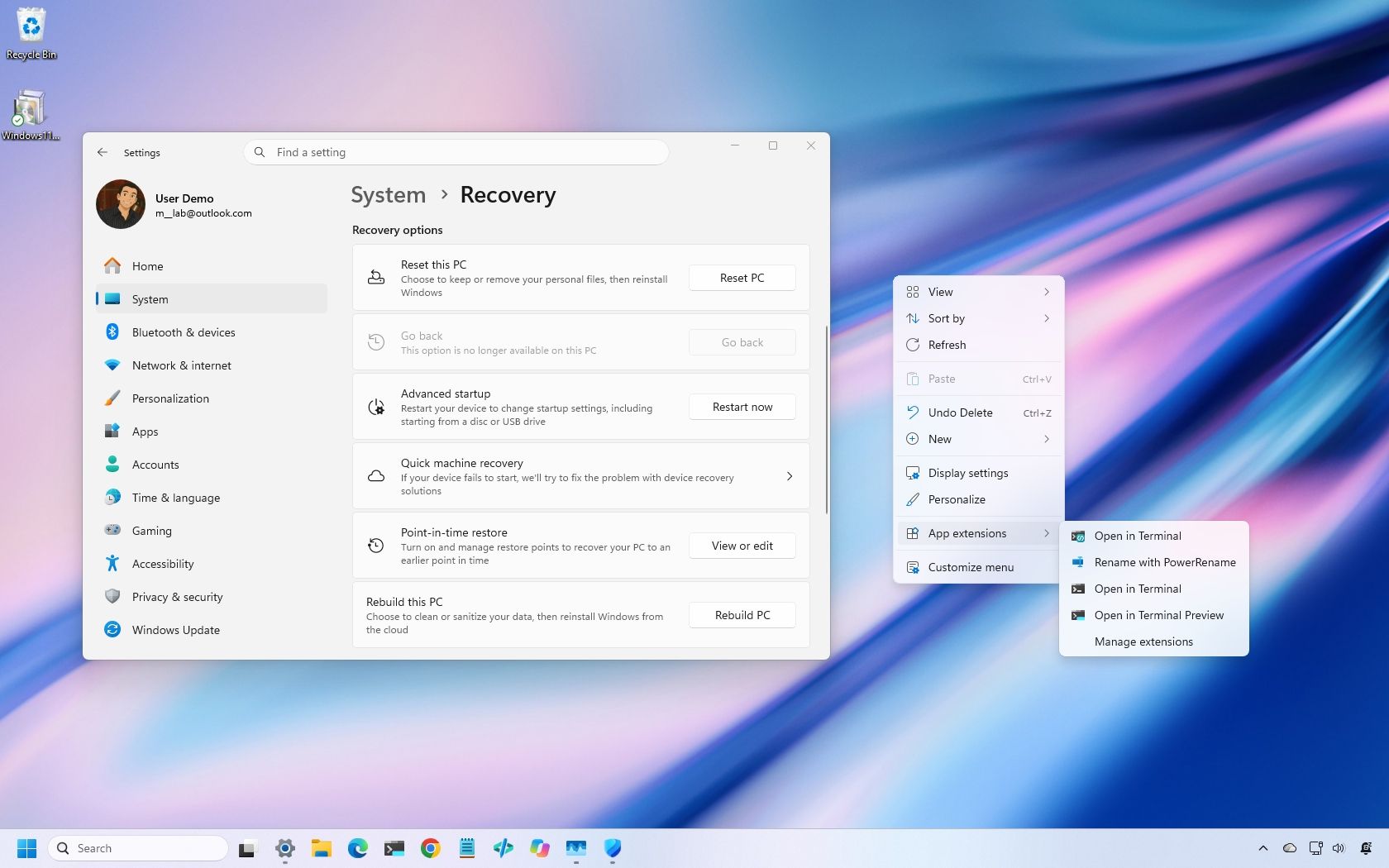
Windows 11 is getting another substantial batch of changes in November, but after going through what's coming, two improvements stand out to me: the customizable context menu and Cloud Rebuild.
The first finally gives you control over some of the clutter that has plagued Windows 11's right-click menu, while Cloud Rebuild offers a much easier way to reinstall Windows without creating a bootable USB drive.
Those are only two of the 11 changes worth knowing about this month, which also include improvements for handheld gaming, Phone Link, accessibility, Edge performance, security, and more.
Availability will vary because Microsoft rolls many features out gradually, but here's what you should be watching for in our latest Windows 11 guide.
Here's all you need to know about the features and changes coming in November.
Starting with the November update, Windows 11 is getting a new context menu experience that gives you more control over the commands and app extensions that appear in the main menu.
The new menu reduces clutter and makes the experience faster by moving app extensions into a separate submenu. It also introduces a "Customize menu" option at the bottom of the interface, which opens a dedicated Settings page where you can enable or disable built-in commands, add options such as "Print" and "Send to," and control which app extensions appear in the main menu or submenu.
You can also display "Cut," "Copy," "Paste," "Rename," "Delete," and "Share" as individual commands instead of showing them in a vertical view.
Source link





