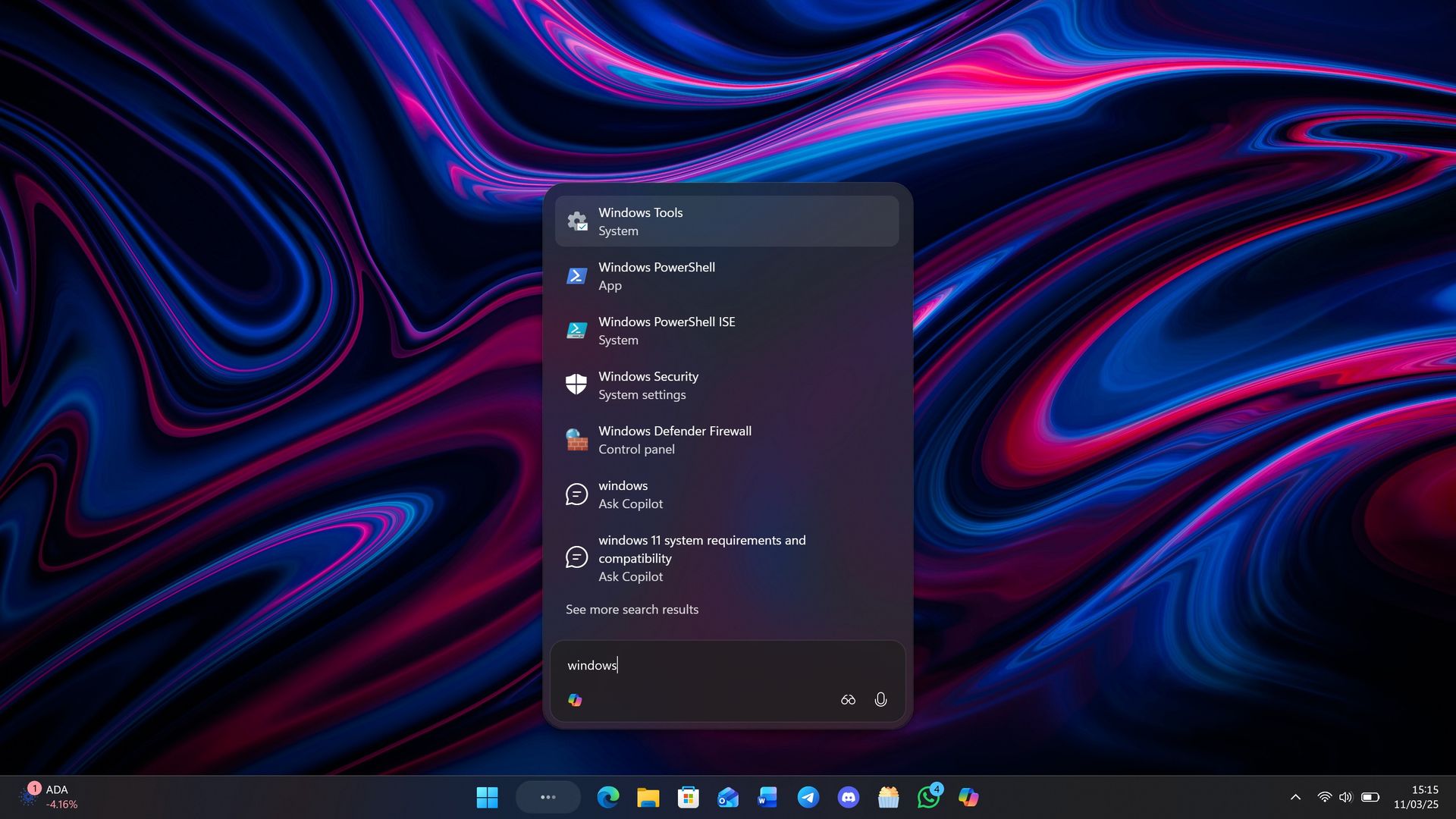
Last month, Microsoft announced a brand new, overhauled Windows Search experience that has been rebuilt from the ground up with more accurate file and app results as well as the ability to modify settings and initiate actions that you ask for.
The new Windows Search is powerful, letting users control their PC, modify settings, answer text messages, open apps, and preview images, files and rich content all from within the search UI. It reduces web content and uses native Windows UI frameworks for a faster and more fluid UX.
Microsoft has also confirmed that this new Windows Search UI will integrate Copilot later this year. This is unsurprising given the new interface builds upon the Ask Copilot experience that the company first announced last year, but never shipped outside of preview.
Ask Copilot testing was paused over the summer, likely because Microsoft decided to integrate it into this new Windows Search experience instead. The new Windows Search looks almost identical to Ask Copilot, meaning I expect the Copilot integration to function very similarly to how it already did before.
"We will also begin adding the option to integrate the new Copilot with Search on the taskbar, so you can get quick answers inline from Search, and if you want to have a richer conversation, you can jump from Search directly to the full Copilot app," Microsoft says. "This experience will be opt-in, and will first start rolling out to select markets later this year."
The good news is that unlike Ask Copilot, which had no option to turn off Copilot integration in the new interface, Microsoft says the Copilot integration in Windows Search will now be opt-in.
Source link