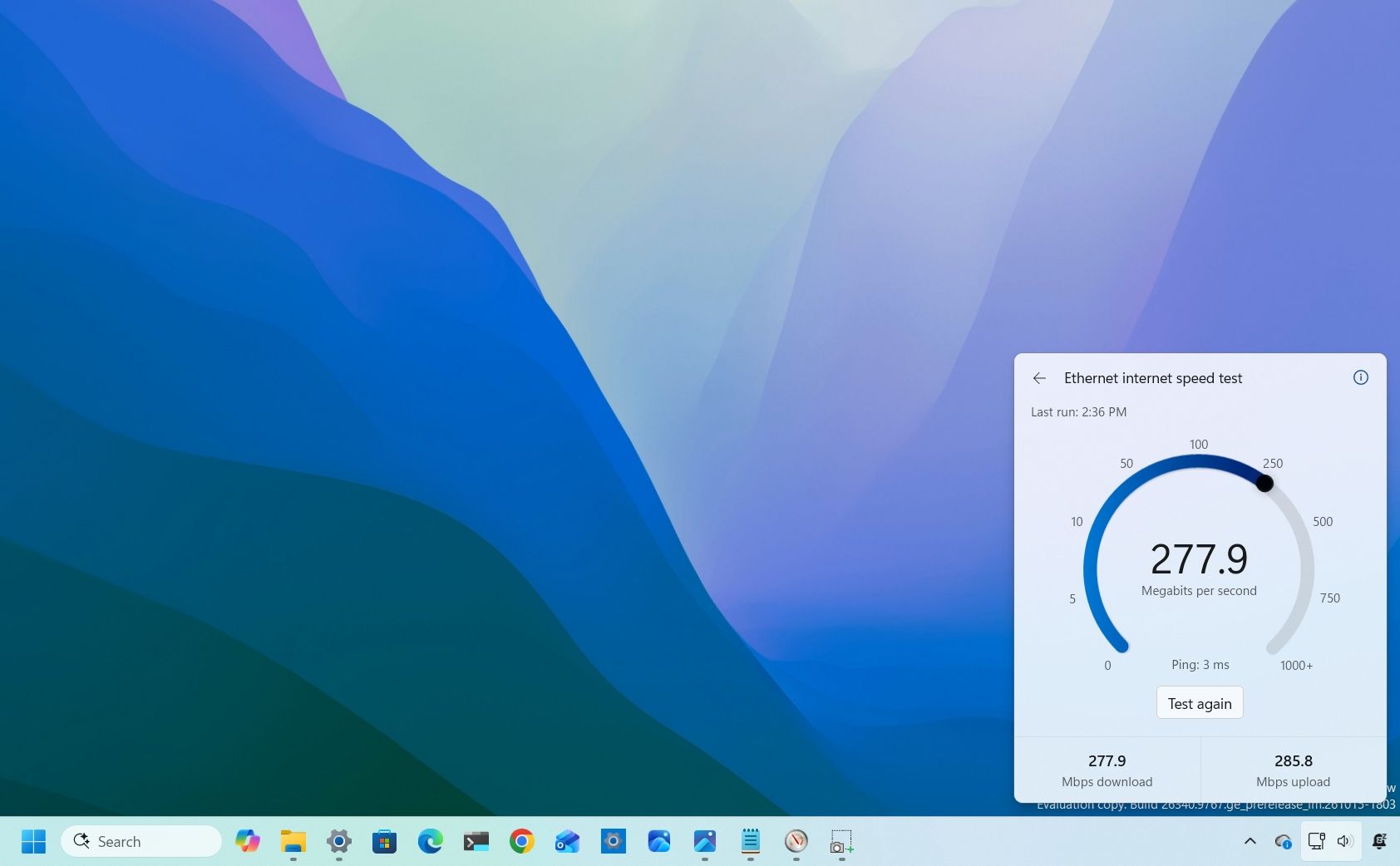
Microsoft is making it easier to check your internet connection on Windows 11 by replacing a browser shortcut with an actual built-in speed test tool that runs directly from Quick Settings. The redesigned tool is rolling out in preview on the Experimental channel with build 26340.9767.
The new experience lets you check your download and upload speeds and ping without opening Bing in Microsoft Edge or using another online tool. It's a small improvement, but one that makes more sense for a feature designed to help users troubleshoot their network connections.
To run a test, open Quick Settings from the Taskbar and select the new "Speed test" option. You can also start a test from the Wi-Fi or Cellular flyout, or right-click the network icon in the system tray and select the "Test internet speed" option.
The operating system displays the test's progress and results directly in the Quick Settings interface, using your active internet connection.
If you don't see the option on build 26340.9767 or higher, open Settings > Windows Update > Insider Program > Feature flags, select the "Enabled" option for "Quick Settings Speed Test," and restart the computer.
I'm glad to see Microsoft making these kinds of changes to Windows 11. For too long, the company has been disguising web shortcuts as Windows features, sending users to the internet to view information or complete tasks they could handle more conveniently on the desktop.
These shortcuts often felt like a cheap solution, more focused on driving traffic to Bing and encouraging people to use Edge than on delivering a well-integrated experience.
Source link