Apple's HomeView has no App Store, but you can still use third-party apps on it.
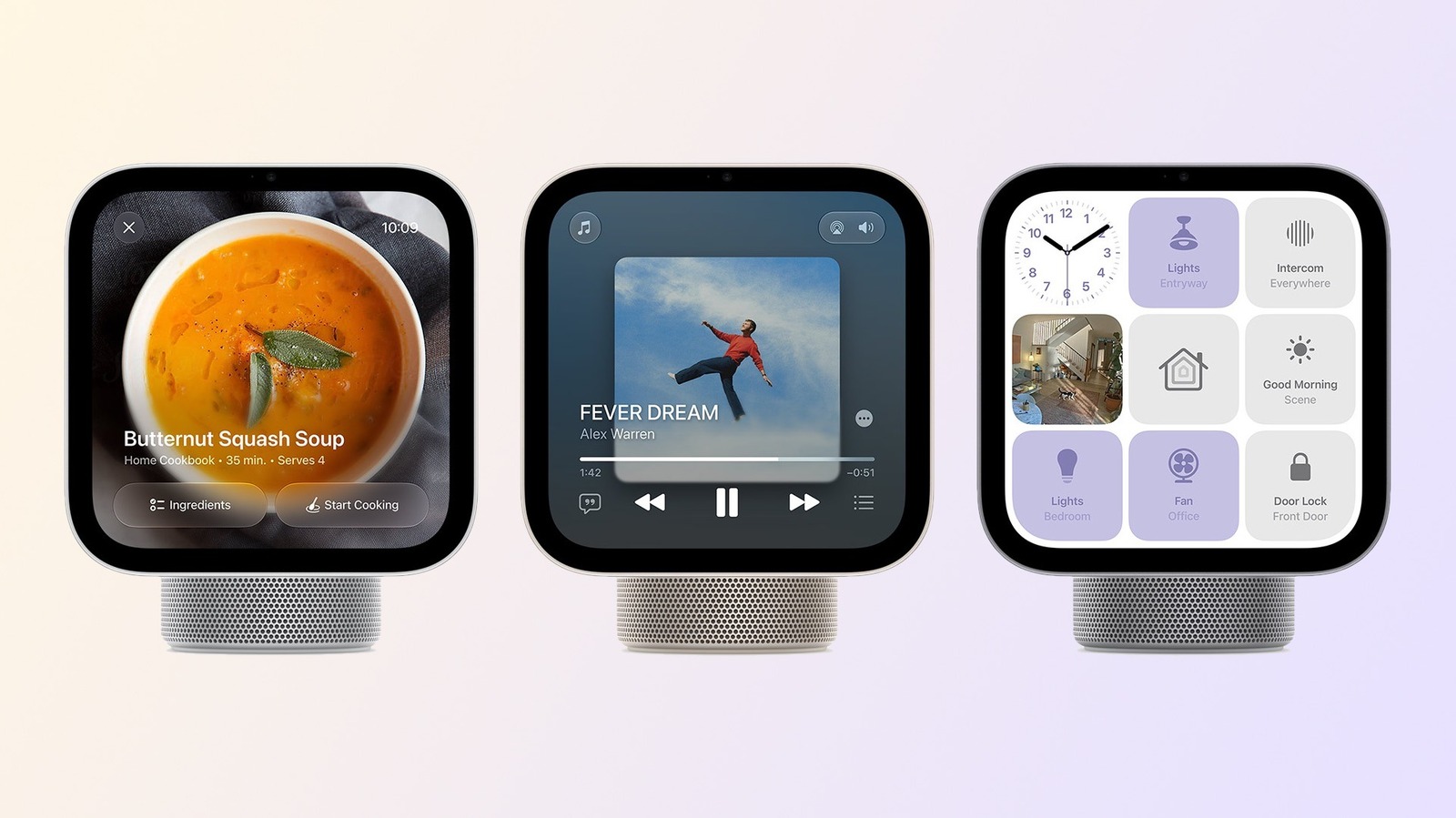
Apple has finally announced HomeView (not HomePad), its new multimedia hub for controlling smart homes. While it runs an iOS-based operating system, it isn't exactly the same setup you have on your iPhone — although it looks quite familiar. Though on the app front, there's a major limitation: the HomeView has no App Store. But that doesn't mean third-party apps will be absent.
Instead, Apple has chosen to bring apps from a place you might not have expected: CarPlay. Yes, HomeView can run the same apps you already enjoy in your car when you pair your iPhone with a CarPlay system. It also comes with a set of pre-installed Apple apps.
Without an App Store on its Home Screen, many people have wondered if it's possible to install third-party apps on HomeView. After all, a device that kind of looks like an iPad should be able to run iOS/iPadOS apps. Apple's own wording is somewhat vague about which apps it supports, with the HomeView page saying it "supports compatible third-party audio and video apps from your iPhone." But after digging through the Apple Developer documentation, we now know that Apple is referring to CarPlay apps.
CarPlay doesn't run natively on your car. Instead, it mirrors the apps you have on your iPhone with a different interface. HomeView will work in pretty much the same way with third-party apps — when your iPhone is nearby, you'll be able to access compatible apps using the smart hub.
Source link