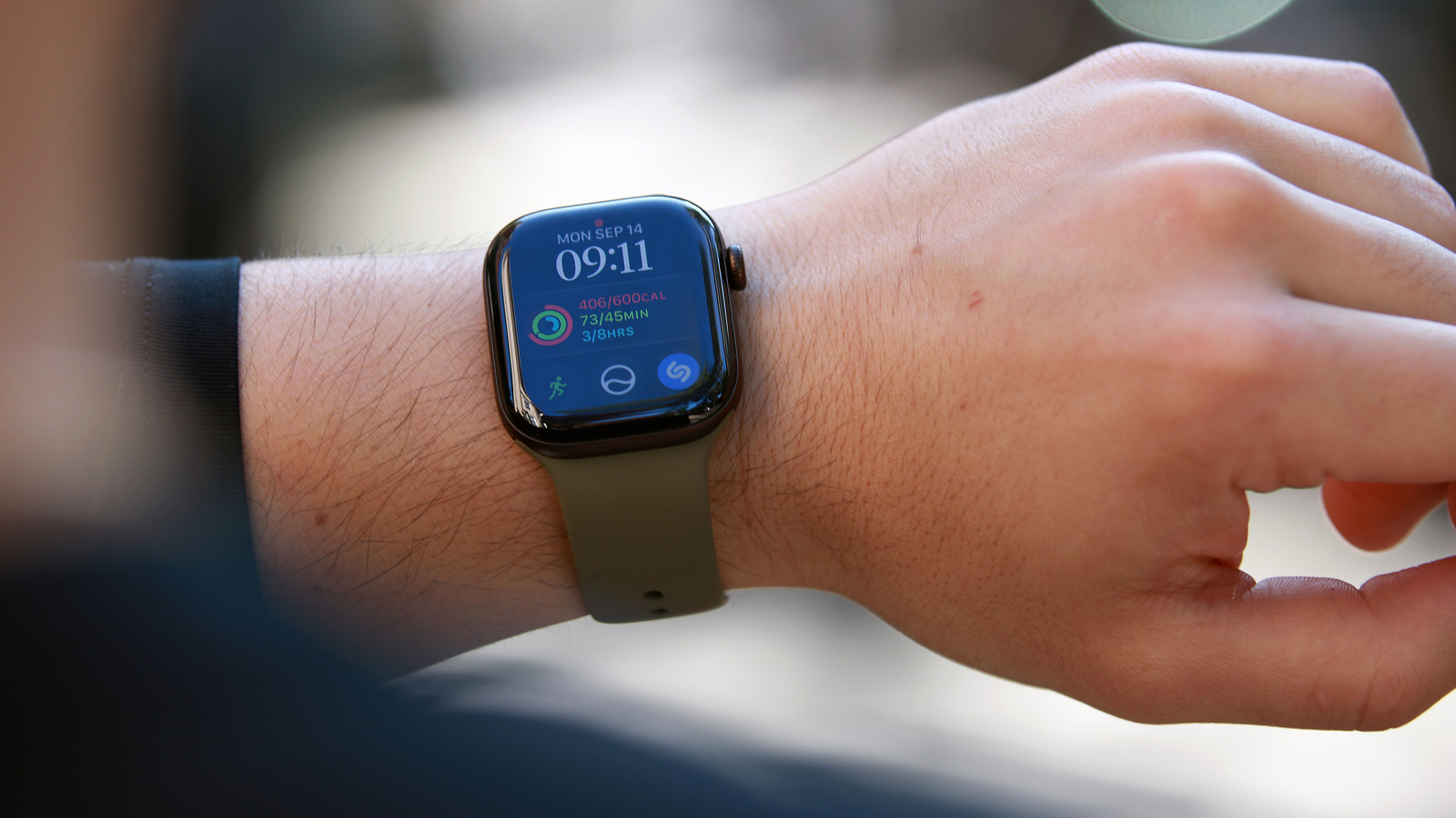
If you look at your Apple Watch and see a small red dot at the top of its screen, it's telling you one thing: you have notifications waiting for you. Apple sends notifications to your iPhone if it's unlocked, but if it is locked and your Watch is the one that's unlocked, it will send notifications to the wearable instead. That doesn't mean you'll always catch every single one of them as they appear, however. The red dot at the top shows up if you have notifications that you've yet to read and dismiss.
To view them, simply press and hold your watch face to open the Notification Center. Once it shows up, swipe down on your screen to scroll or turn the Digital Crown. You can read notifications from there by tapping on them or delete them by swiping left and then tapping the X button. If you want to quickly delete all your notifications, go to the Notification Center, swipe down or turn the Digital Crown until you get to the top and see the Clear All button. Tap it to remove all unread notifications from your Watch.
In case you'd rather not see the indicator altogether — maybe seeing it gives you anxiety or maybe you don't want to be disturbed — just open the Apple Watch app on your iPhone, tap Notifications and switch off Notifications Indicator.
You can also mute or switch off a certain app's notification's on your Watch instead. Swipe left on a specific notification and instead of dismissing it, tap on the ellipsis icon and then choose from among the options.
Source link