Developer Jan de Jager has created a full Intel 486 PC system in a browser. On the e486-web GitHub page, de Jager boasts that the emulator is coded in 100% pure JavaScript. The project’s fuller title is the Retro486 Modular Browser PC. Claude gets a development credit, so we guess you could say e486-web was (partially) vibe-coded.
The live demo you can boot with a single click is impressive, with tabs to interact with and configure your browser-based, dependency-free Intel 80486DX2-66 PC in a browser. The first tab is dubbed the CRT monitor, and this is where you will spend the most time using the command line, apps, and games. However, it is also very appealing to be able to adjust your PC configuration in the tabs for Motherboard & Slots, Storage Bay, Custom Card Studio, and System & Diagnostics.
I couldn’t resist taking the e486-web for a spin using the live demo. The CRT monitor screen is totally charming, with various display options including color and scanlines, and tributes to classic CRTs with green phosphor, amber, or paperwhite displays. This is the screen where you will also type DOS commands and interact with whatever you get to run.
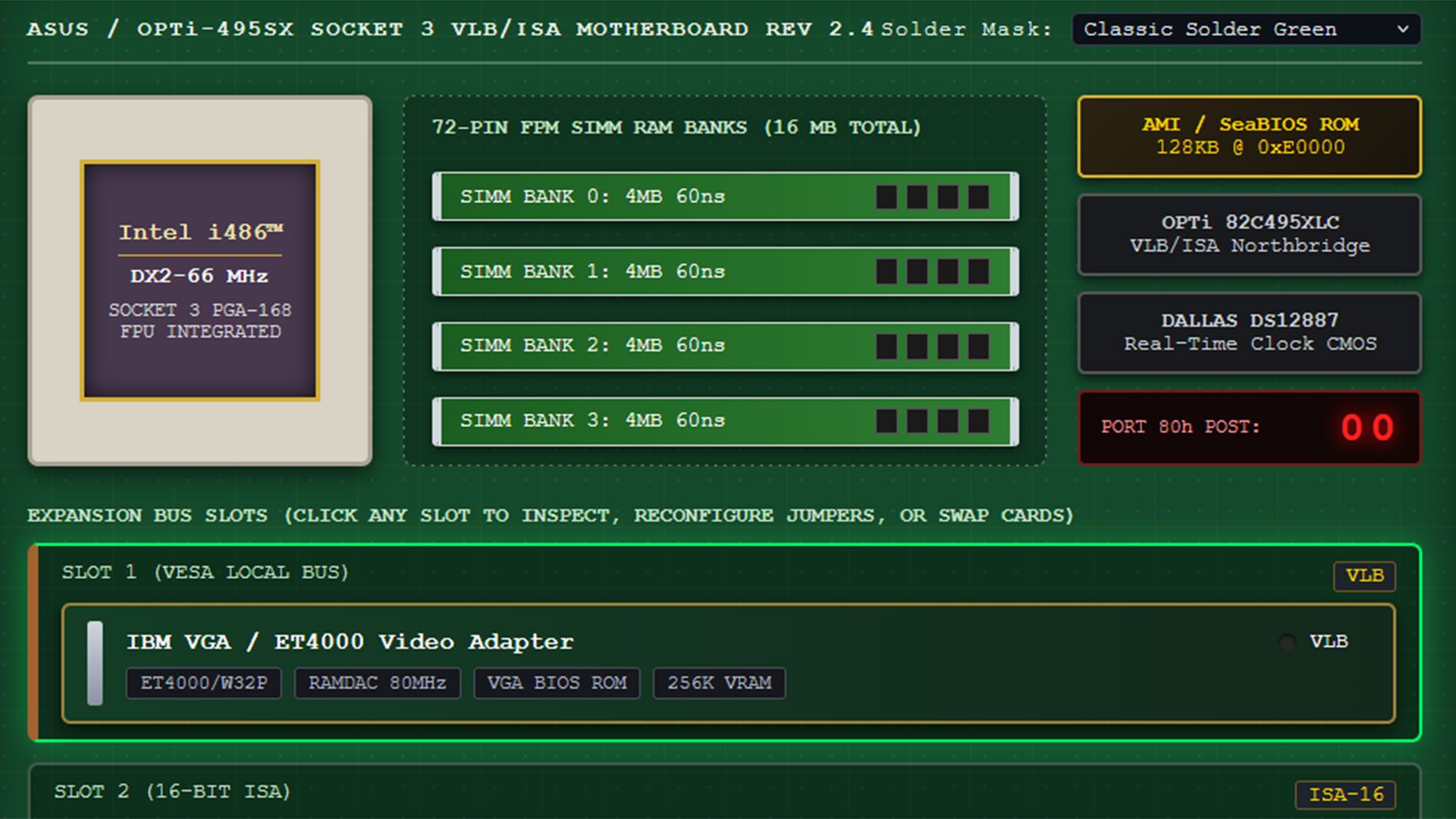
The next tab in this comprehensive 486 PC system emulator lets you pick a motherboard design and, probably more importantly, add and remove expansion cards. The default system comes with a VLB graphics card, Sound Blaster 16 ISA card, a multi-I/O controller, network card, and more. All the cards seem to be configurable.
Source link