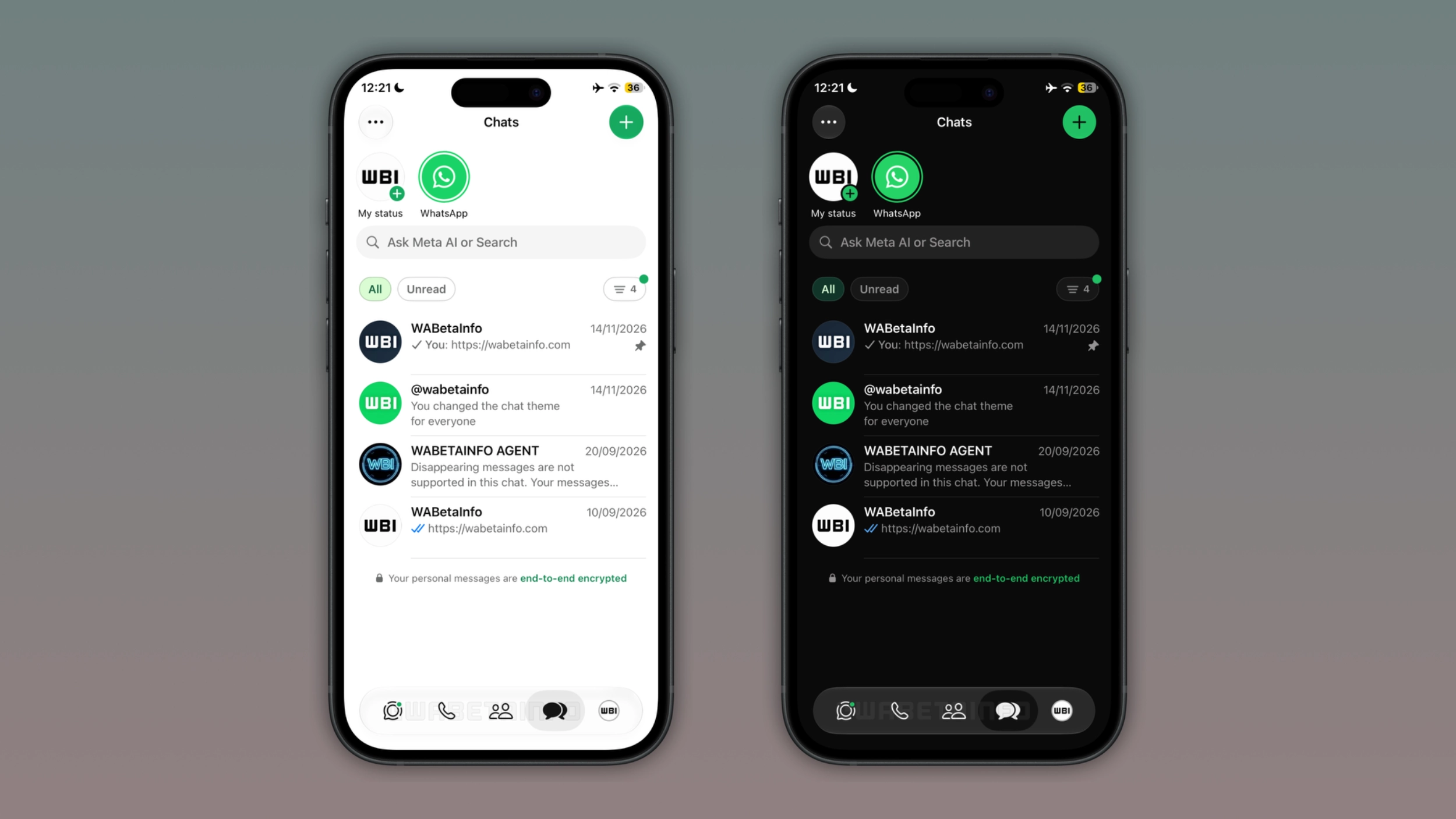
WhatsApp is introducing a cleaner design for the tab bar by removing text labels. WhatsApp keeps its icons visible, but the tab bar no longer shows any text below them. This makes the tab bar more compact and similar to the one available on the Android app.
Enter your email address to subscribe to this blog and receive notifications of new posts by email.
In the post about the WhatsApp beta for Android 2.26.45.5 update, we announced a redesigned bottom navigation bar on Android. With the new design, WhatsApp is introducing a new bottom navigation bar that floats above the screen. WhatsApp shrinks the bar into a compact pill when users scroll down, and the app expands it again when they scroll back up. WhatsApp also removed the text labels from the bar, added a progressive fade effect, and introduced a selection color to reflect the app theme. This update makes the bottom navigation bar more modern and similar to the one introduced in other apps on Android.
WhatsApp is now bringing a similar refinement to the tab bar on iPhone. The update focuses on removing the text labels from the tab bar. We discovered this with the WhatsApp beta for iOS 26.46.10.71 update, which is available on TestFlight. With this update, WhatsApp is rolling out a new design for the tab bar to some beta testers. This new interface makes the tab bar more minimal since WhatsApp removes the text that previously appeared within the bar.
WhatsApp already updated the tab bar on iOS when it introduced the Liquid Glass interface .
Source link