Digital workspace platform Notion has rolled out a new tool that lets you share prompts for AI tools like Claude Code, OpenAI's Codex, Gemini, or Grok with the rest of your company using Notion's new skills feature.
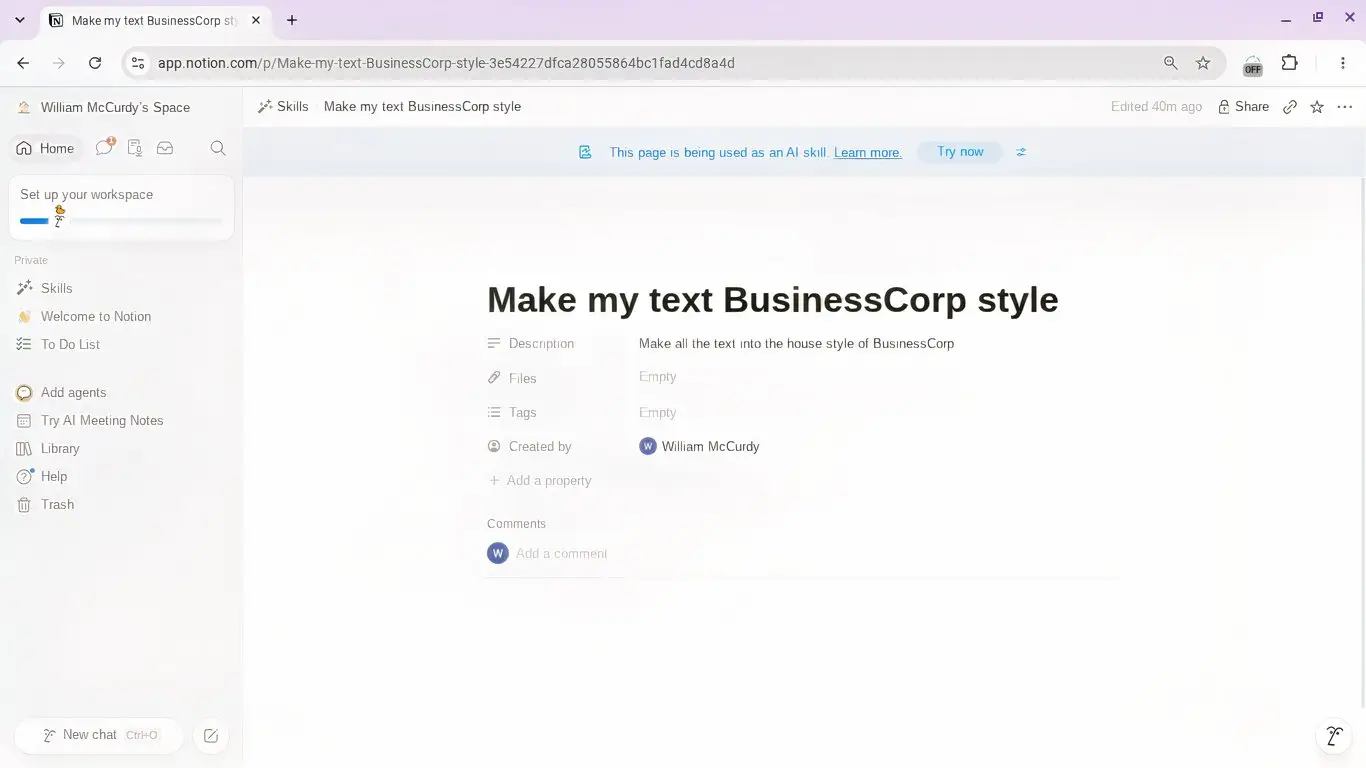
For example, if your company has a particular house style that applies to all sales and marketing materials, you can build a skill in Notion AI and share it with everyone. Or you could craft a prompt that assesses proposals to see if they fit your company's engineering or design standards, cutting the time and stress of sharing manually.
$10 a month to feel like I have my life together? Bargain.
First, open Notion in the app or in your browser. Then, head to the Library in your sidebar and open the Skills tab. Alternatively, you can open Settings, then Notion AI, then Skills, which will take you directly to the Library.
Then select New skill to create a new skill page and start refining your prompt. You can also add tags, descriptions, and attach files. Notion AI can also help build the skill if you feed it examples of the work you expect it to do, and it will also ask you questions to help you build it.
Once you've created your new skill, click the three-dot icon beside Try now and select Download for local agents and pick your preferred AI agent from the drop-down menu. Notion has also made the feature friendly with after-the-fact tweaks. If you change the skill in Notion, it gets marked with a badge, so your teammates know to export and use the latest version.
Source link