Tech > Services & Software > Operating Systems > Windows > Windows 11
Available to Windows Insiders, the built-in tool measures your upload and download speeds over Ethernet or Wi-Fi.
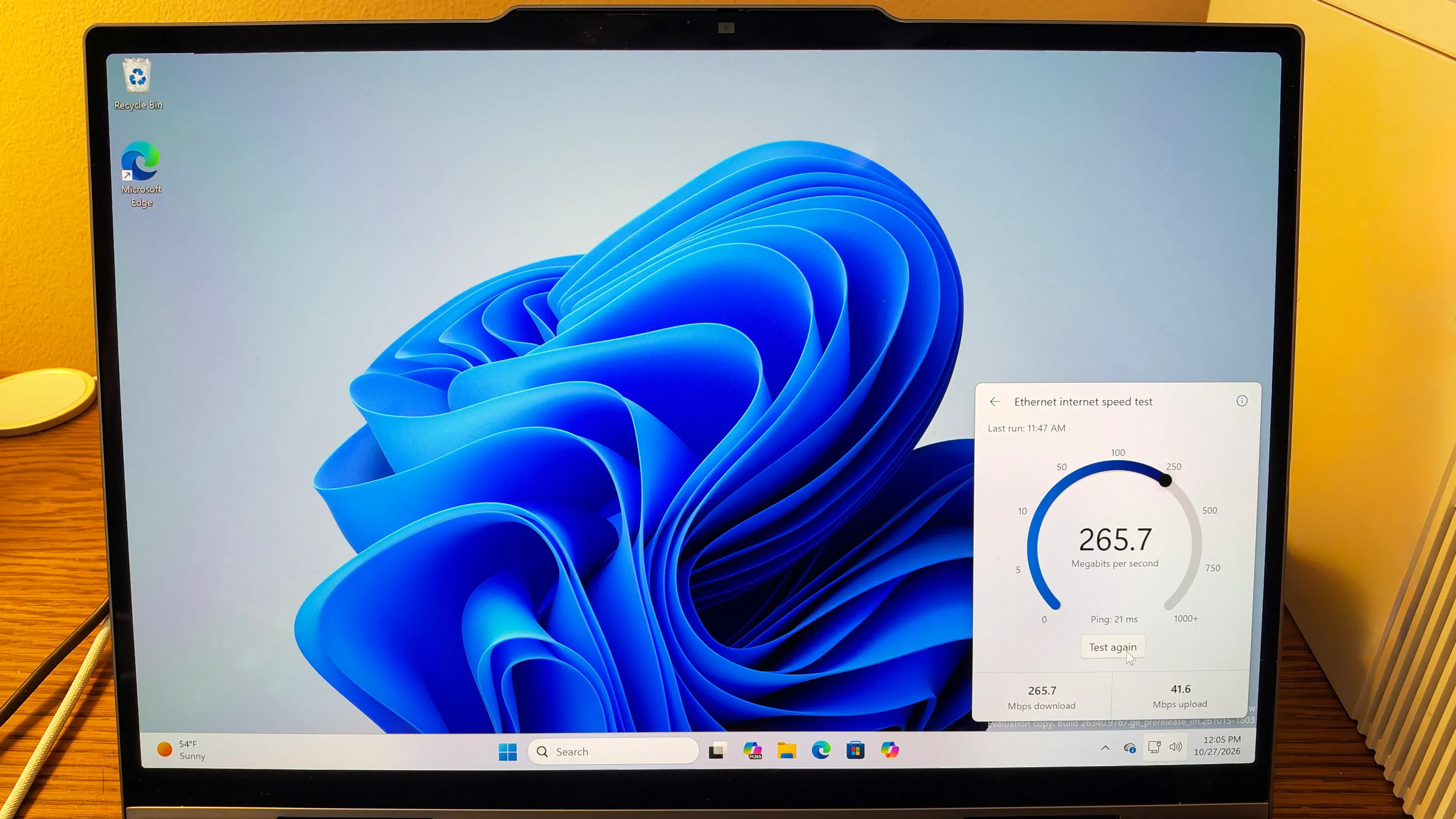
Does the internet performance on your Windows PC ever feel sluggish? Testing the actual speed can tell you if it matches what you expect or what’s promised from your internet provider. To run a speed test in the past, you typically had to go to a dedicated website or install a special app. Now Microsoft is rolling out an integrated speed test tool designed to save your time.
Currently available to Windows Insiders using the Experimental channel, the new built-in internet speed tester measures your download and upload speeds over Ethernet or Wi-Fi. The tool first tests your download performance and then segues to uploads. The final results show you the average speeds for both.
To try the new tool, you need to be part of Microsoft’s Windows Insider Program if you haven’t already joined. When setting this up, make sure you choose the Experimental channel. Since these Insider builds can be unstable, don’t do this on your primary PC. Instead, use a spare computer, a dual-boot setup, or a virtual machine. I run the Insider builds in a VM through VMware Workstation Pro.
Even with the Experimental channel, I had to enable a special flag for the test. To do this, go to Settings, select Windows Update, and then click Windows Insider Program. Select the option for Feature Flags and scroll down the screen to the entry for Quick Settings Speed Test.
Source link