

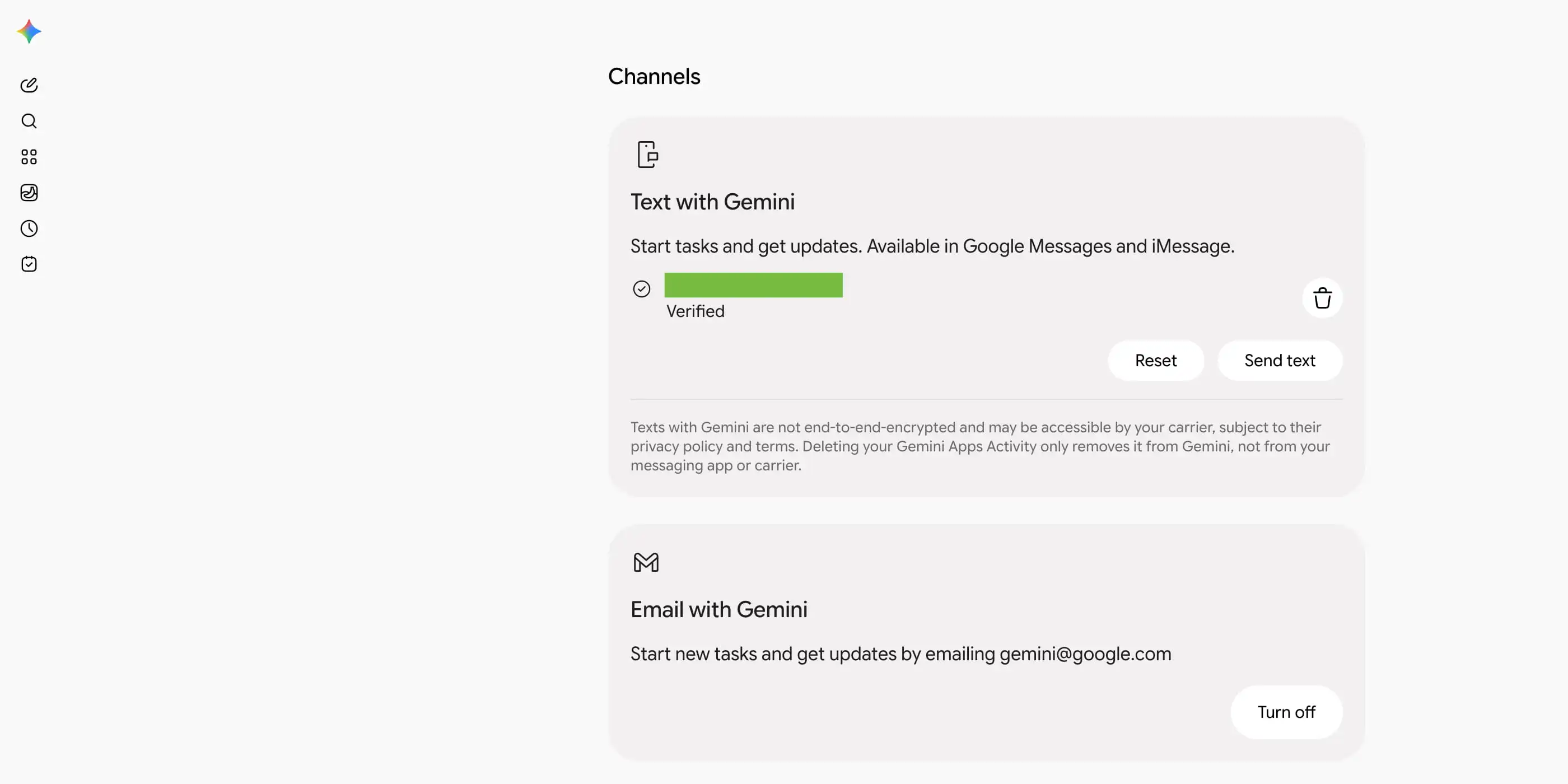
As previewed at I/O 2026, you can text — via Google Messages and iMessage — or email directly with Gemini.
Instead of using the Gemini app, you can now reach the AI assistant to “start tasks and get updates” using your preferred method of communication. To get started, go to gemini.google.com/channels.
Text with Gemini works via Google Messages and iMessage. Google does note that this method is “not end-to-end encrypted and may be accessible by your carrier.” The setup process involves verifying a phone number. Existing numbers associated with your Google Account appear automatically, and there’s the ability to add a new one.
Afterward, you’ll receive a text from Gemini via RCS Business Messaging that offers a pretty straightforward chat experience. Before sending, booking, or other “major actions,” Gemini will ask for 1-tap confirmation.
…you can text a request, snap a photo of a school flyer to add dates to your Google Calendar, or get scheduled check-ins in a private 1:1 thread. If your plans change while Gemini is working, simply reply to the text to steer the task mid-run without starting over.
(Amusingly, Text with Gemini coexists with the existing Google Messages integration, which you can distinguish by the old blue/purple icon.)
Email with Gemini lets you “start tasks and get updates by emailing” gemini@google.com. Google explicitly names Gmail, Apple Mail, or Outlook as supported clients, while emails from Gemini are always “1:1 to you (never “Reply-All”) with a link to review and confirm your results.”
Forward a batch of school emails to add key dates to Google Calendar, spot schedule conflicts, or send over threads and PDFs to sort out medical bills and track insurance renewals.
Source link





