Home / Technology / Tech News / WhatsApp rolls out scheduled messages: How to use it and what to know
WhatsApp rolls out scheduled messages: How to use it and what to know
WhatsApp is rolling out scheduled messages, allowing users to set a date and time for sending texts, photos and videos. Here is how to schedule, view and delete messages before delivery
WhatsApp's scheduled messages feature allow users to set a date and time for messages to be delivered
Harsh Shivam New Delhi 3 min read Last Updated : Nov 26 2026 | 3:15 PM IST
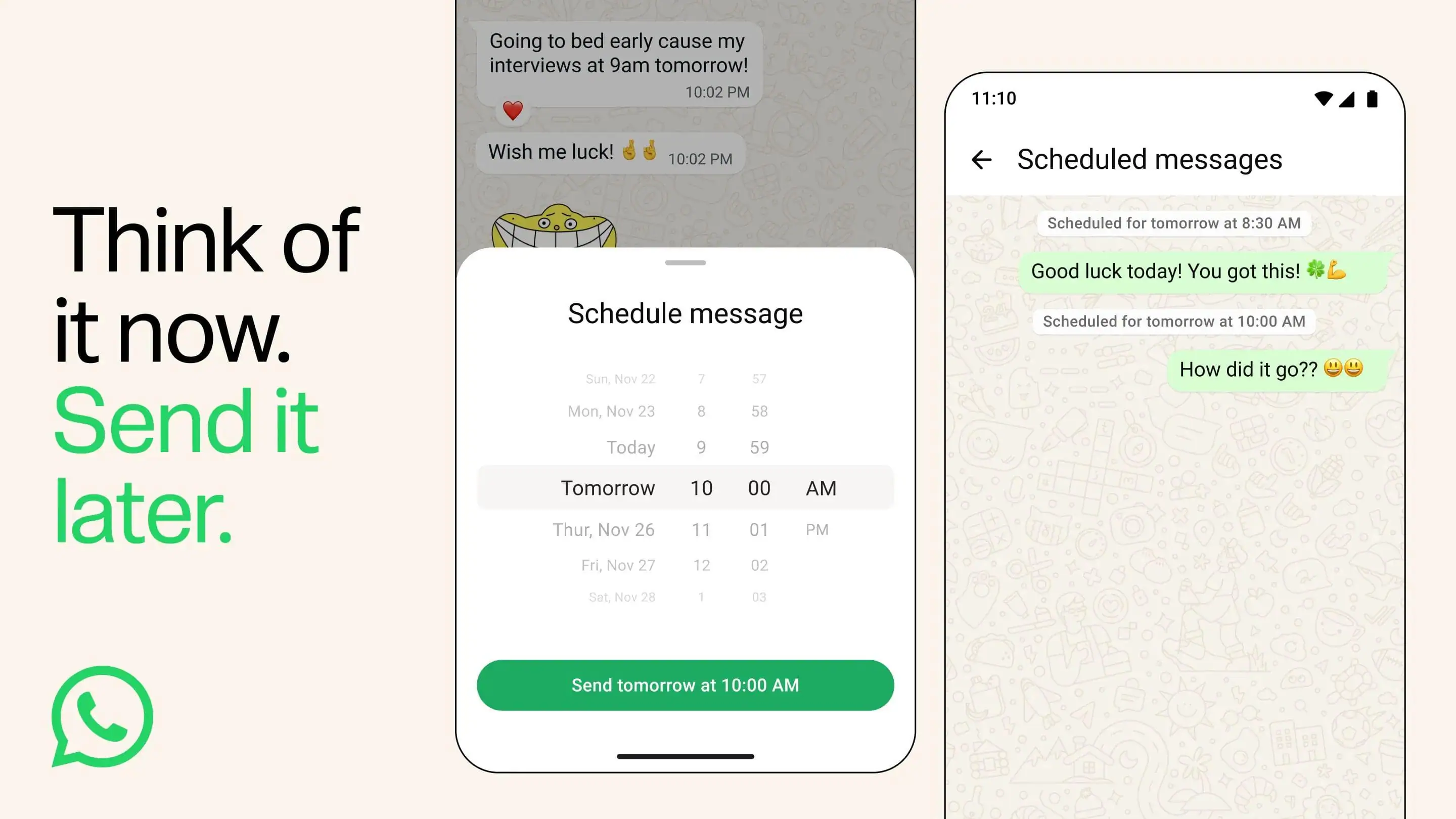
WhatsApp has introduced a scheduled messages feature that allows users to compose messages in advance and choose when they should be delivered. The feature works in individual and group chats, letting users schedule messages between 10 minutes and 14 days ahead.
The feature can be used to send birthday wishes at midnight, reminders or messages timed for recipients in different time zones. Here is how to schedule messages on WhatsApp and manage them before they are sent. ALSO READ: Apple to expand India retail presence with first Hyderabad store on Dec 10
Users can schedule a message directly from an individual or group chat. The process involves selecting a delivery date and time before sending the message.
Meta to hire new India policy chief amid strained ties with Centre
WhatsApp to make connections richer, use AI to save time: CEO Kunal Shah
Open WhatsApp and go to the individual or group chat where the message needs to be sent.
Source link