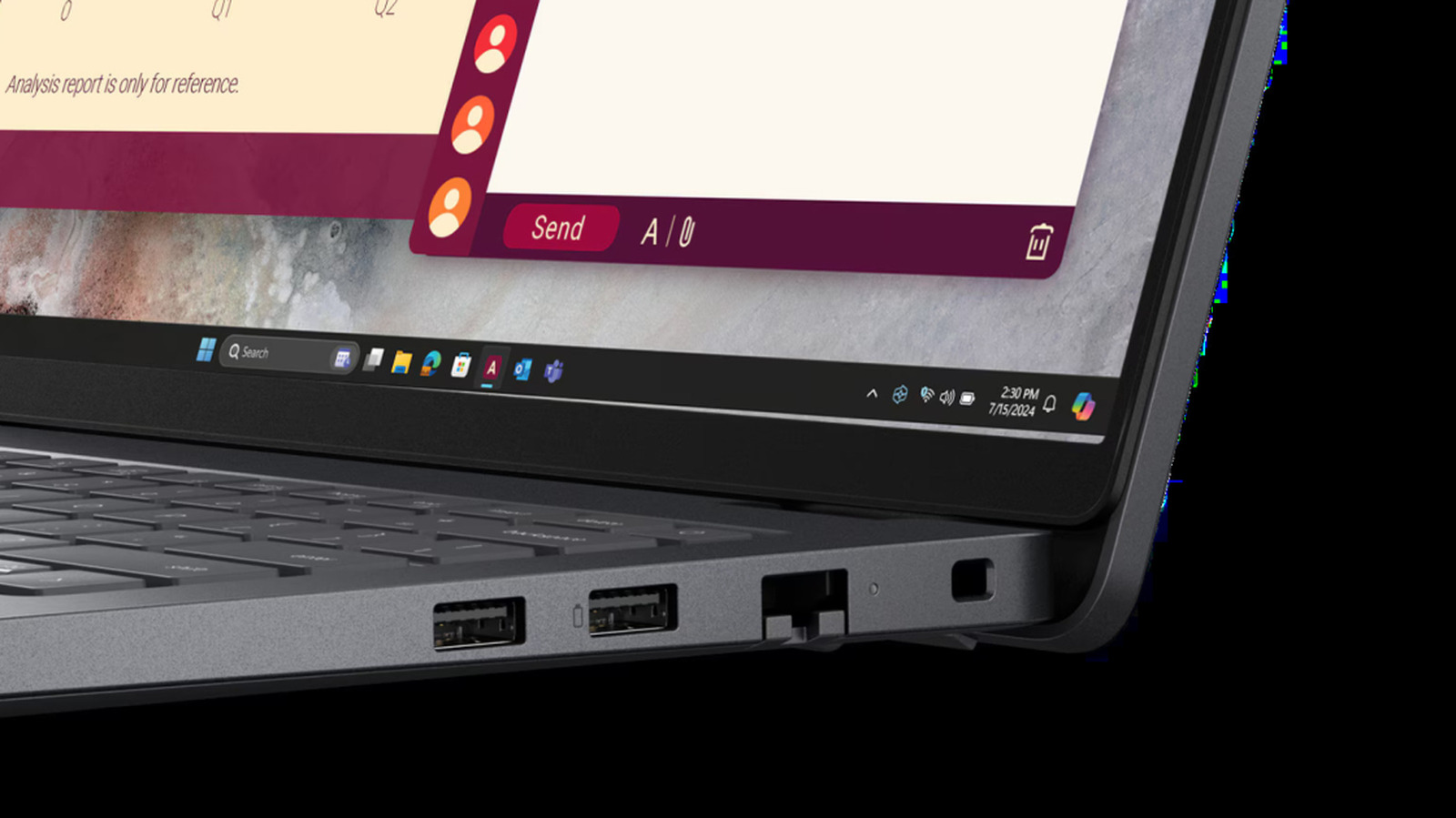
The more USB ports on a device, the better, but things can get confusing when they all have a different symbol on them. Among the markings seen next to USB ports, it's not uncommon to see a battery icon, which typically indicates that it's a USB Power Delivery port. Known as USB PD for short, this port means it can deliver higher power levels than a typical USB port, but can also charge connected devices.
The USB PD charging protocol has a long history and was first introduced in 2012, meaning it predates the debut of the USB-C port. However, USB PD was updated in 2021 and is now able to deliver up to 240W of power, meaning it can support more demanding devices like high-end laptops or some monitors. Beyond supplying more power, the USB PD port has some cool use cases that you might not know about.
When you see a battery symbol next to a USB port, it can mean a few things. Most commonly, the icon means that port is USB PD compatible and can offer a more sophisticated charging protocol. Using USB PD, you can charge your laptop faster since Power Delivery conducts an intelligent digital handshake between device and charger that provides the right amount of voltage and current without the risk of overheating.
The battery symbol could also translate to another useful feature in the form of bidirectional charging. When looking at your laptop's USB ports, you can use the one with a battery symbol to charge another device, like your smartphone or AirPods.
Source link