You might not even have known about this little battery, but you'll notice the effects when it stops working.
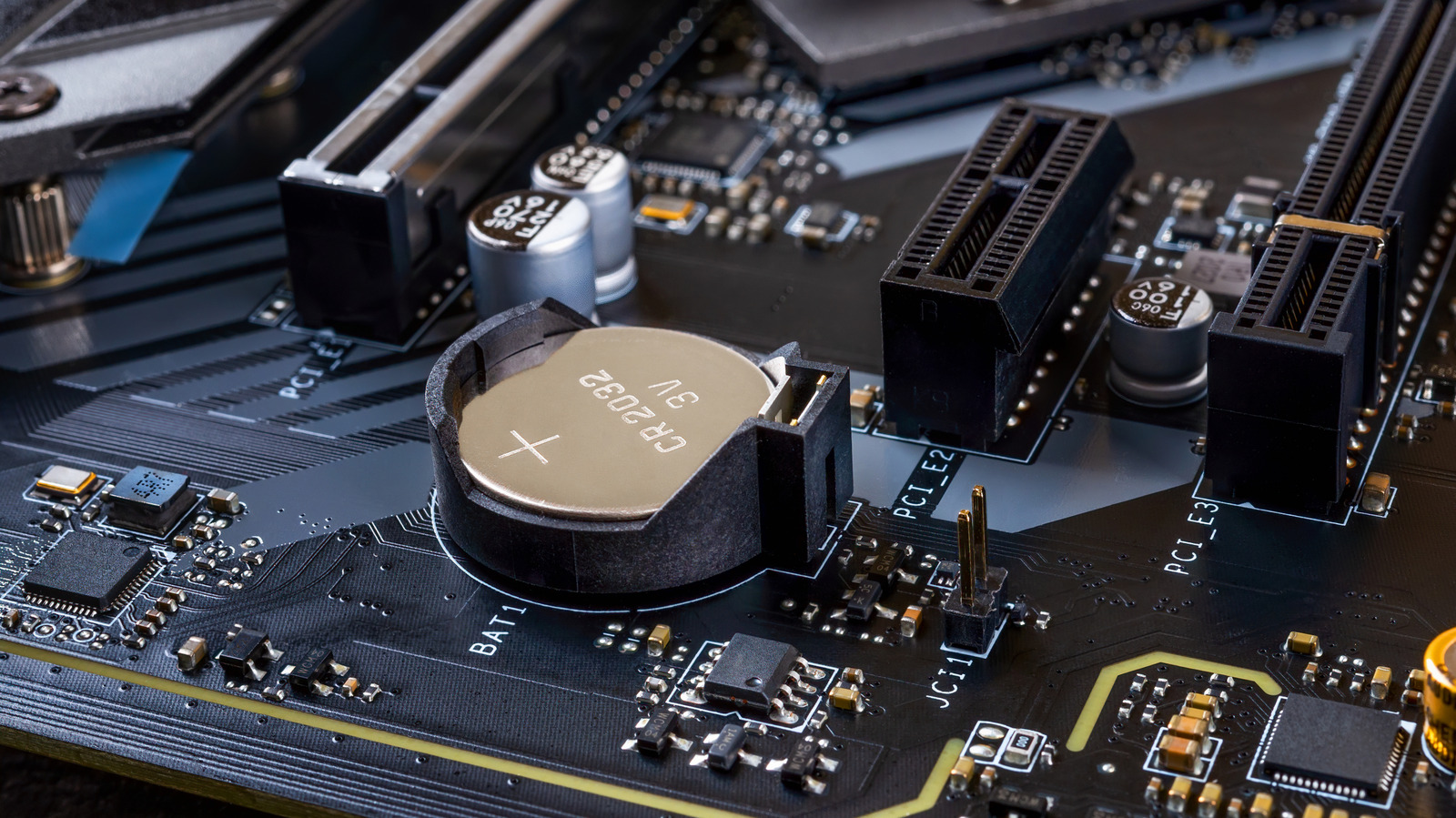
Look closely at a desktop computer's motherboard, and you'll notice a small disc-shaped battery that was installed from the factory. This coin-sized battery powers your computer's real-time clock and helps preserve basic hardware-related settings when the machine is turned off.
Like any cell, the CMOS (complementary metal-oxide-semiconductor) battery has a limited lifespan and eventually requires replacement. The good news is that the process is fairly easy and inexpensive. In most cases, you can go many years without needing to replace a CMOS battery since they only drain when your PC isn't connected to power.
You can think of a CMOS battery as a backup power supply for a computer's motherboard, allowing it to keep track of the date and time even when it's unplugged. Motherboards also store boot-related BIOS or UEFI settings on a small memory chip that receives power from the CMOS battery.
Most desktop computers use a standard CR2032 coin cell, which is the same kind that powers Apple's AirTags. Some may use a CR2025 coin, but this is less common. Since the battery only needs to power a real-time clock and memory chip, it can usually last several years, or even up to a decade.
A telltale sign of the CMOS battery failing is if your computer can no longer accurately keep track of the time and date between power cycles, especially after unplugging it from the wall.
Source link