The Windows 11 Start menu has received a lot of updates recently, but if you want to fully customize your Start menu, you need to use an app like Start11. A major update to Start11 is now in beta, and it brings a bunch of new features.
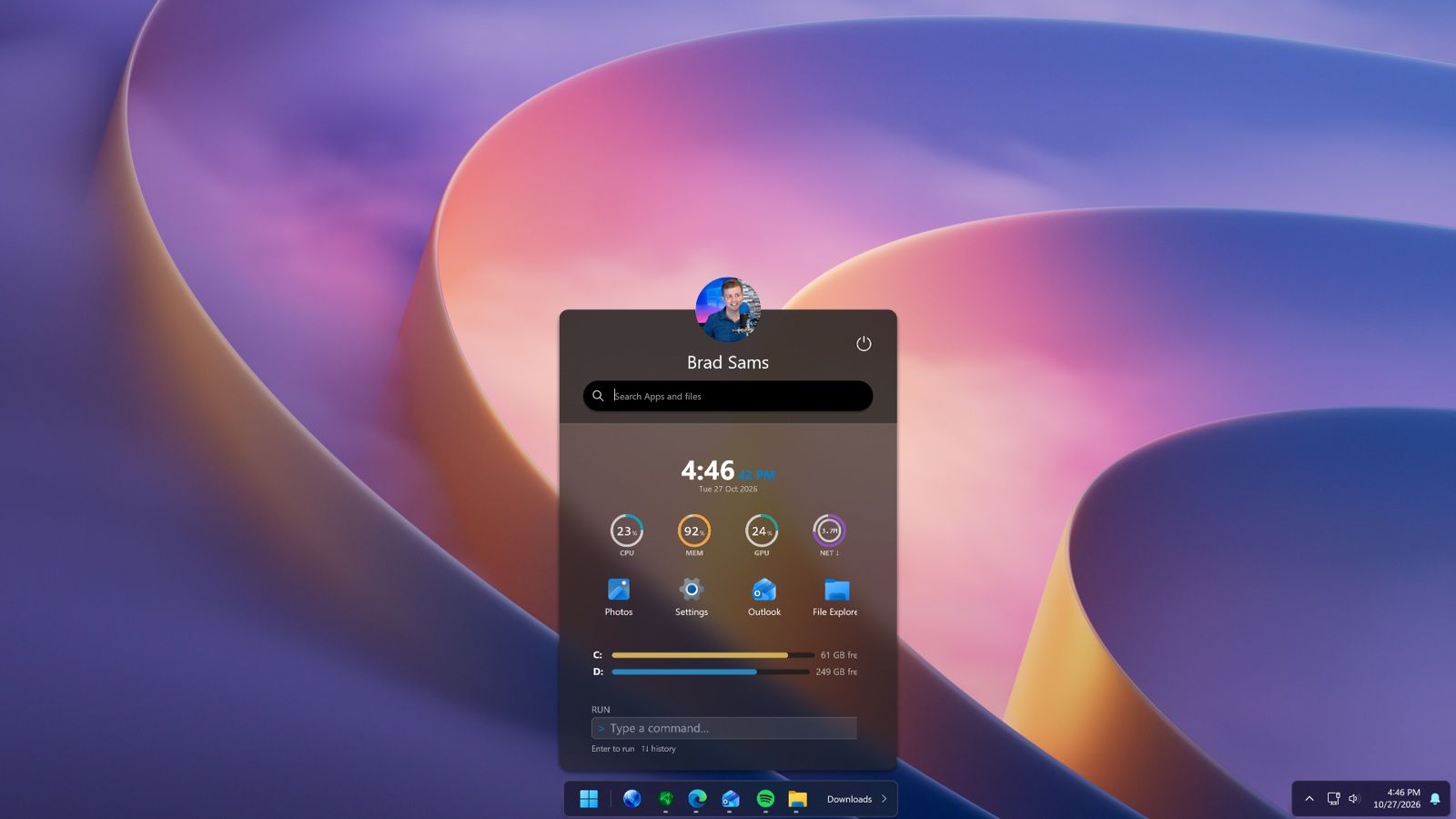
Start11 v3 adds support for widgets within the Start menu. There are 20 widgets available at launch, though most are fairly straightforward. Widgets like a clock or calendar may serve better as proof of concept than a core part of the Start menu.
The updated app also adds Taskbar Islands, which are a dock-like experience. They feel a little bit like macOS because they split the taskbar into smaller pieces that do not take up an entire section at the bottom of your screen. But the Taskbar Islands very much match the overall design and feel of Windows 11.
Start11 adds support for grouping applications directly in the taskbar by holding Alt and dragging applications together. You can pin those groups as workspaces to launch multiple apps with a single click.
A new button in the taskbar provides quick access to recently closed applications, overflow items, and taskbar tools.
Stardock also added the ability to explore Start menu layouts from the community.
As much as I love apps that customize the look of Windows 11 and add new features, I only keep a few installed on my PC. Start11 is on the short list of apps I install right away, alongside PowerToys.
Source link