
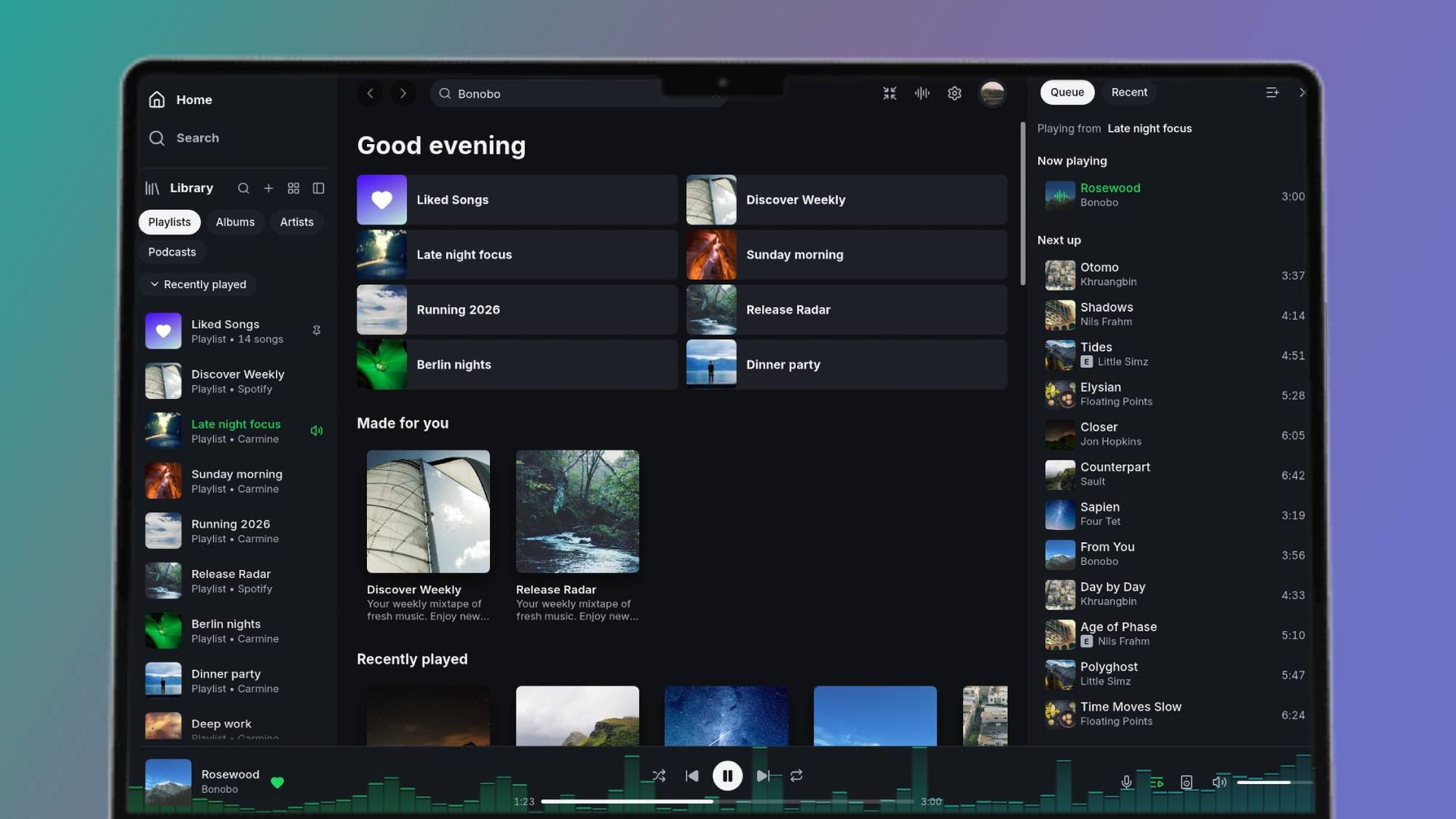
I love using Spotify’s desktop app for a handful of reasons, but mainly because it’s a much easier way for me to create and manage my playlists — I’ve always preferred navigating larger screens for the best music streaming services.
Despite this, one of the biggest downsides to using Spotify in its desktop form as opposed to its mobile app is the substantial amount of RAM it eats up (it can use anything from 600MB to over 1GB). That’s where Spotifast comes to save the day.
Spotifast is a new lightweight native desktop app that connects to your Spotify account and imports all of your music. As its name suggests, it’s designed to decrease RAM consumption without compromising speedy performance, which its developer says loads "in well under a second and typically uses 100–250 MB of memory" on Spotifast’s information page.
To get started, you’ll need to be a Spotify Premium subscriber, and will need to grant two approvals; one for access to your Library, and the other to play music on your computer. Free accounts can only browse and search. The app is available for Linux, macOS, and Windows, but how similar or different is it to the official Spotify app?
Layout-wise, it’s not far off what you already get with Spotify’s standard desktop app. Your main Home and Search page rests in the center, while your Library and playlists make up the left sidebar and your Queue sits on the right — both of which are collapsible.
Source link





