
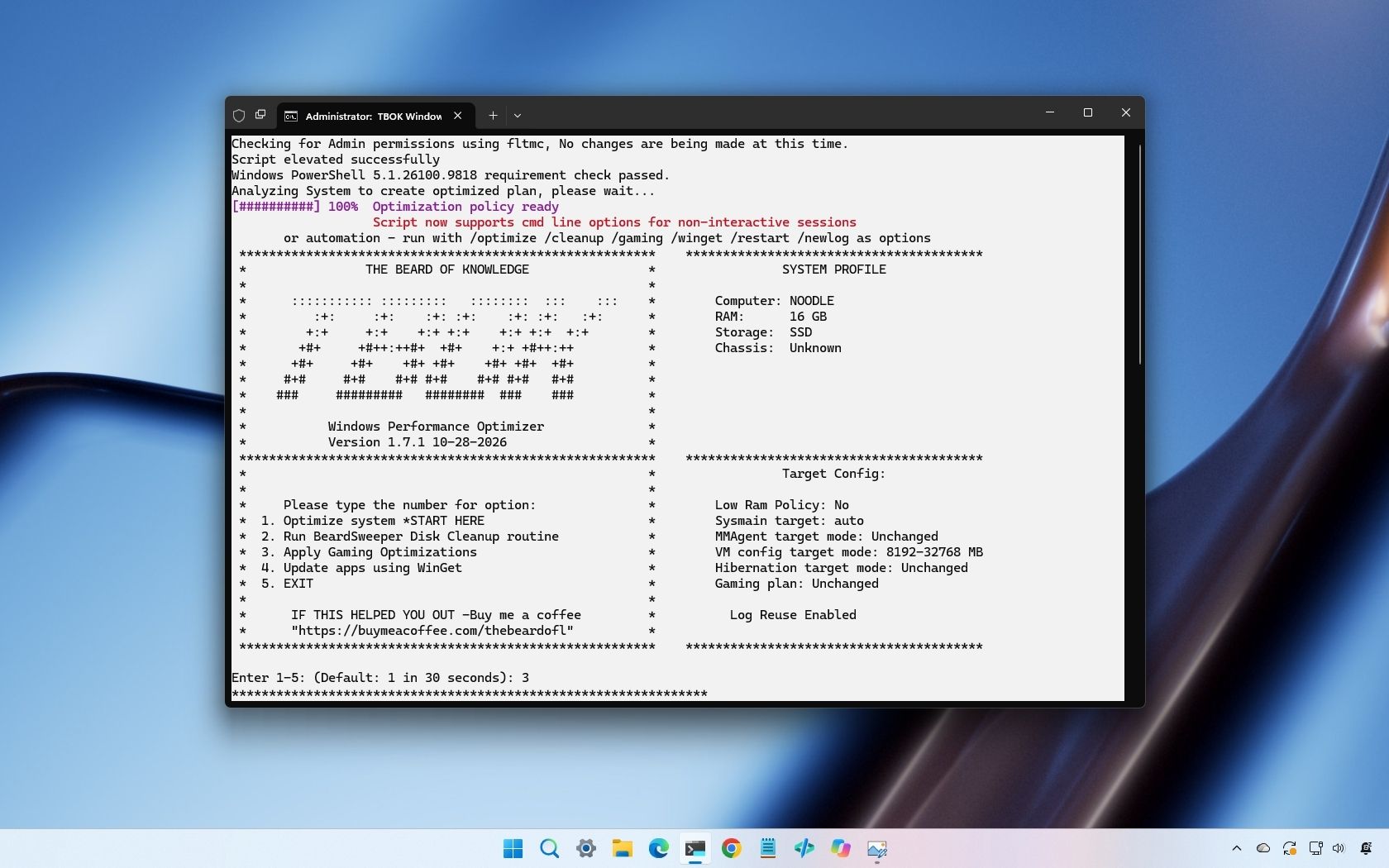
Windows 11 includes many different background services, recommendations, apps, and settings that not everyone wants or needs. TBOK Windows Performance Optimizer tries to debloat that experience by applying dozens of system-wide and per-user changes intended to improve responsiveness, privacy, and gaming performance.
TBOK Windows Performance Optimizer is a free project for Windows 10 and Windows 11 that offers a standalone batch script for home users and separate deployment files for administrators using Microsoft Intune. The script's hardware-aware configuration engine detects the computer's hardware and uses that information to select settings for memory management, storage, services, and gaming.
I like the work behind projects like this, but I wouldn't recommend running a debloating script on your primary computer without testing it first.
TBOK Windows Performance Optimizer is a Windows configuration and cleanup project developed by The Beard of Knowledge. It combines Registry tweaks, service configurations, scheduled task changes, and app debloating to optimize operating system performance.
The script can apply selected preferences across compatible existing user profiles, including currently loaded profiles, offline profiles, and the "Default" profile.
It also provides summaries showing which changes succeeded, were skipped, or failed. This makes the feature particularly useful for shared computers, custom builders, and administrators managing different workstations.
TBOK uses a hardware-aware configuration engine to determine which settings to apply to Windows 11 or Windows 10. The script detects installed memory, storage type, and chassis type. It then uses this information to select configuration targets for services, memory management, Prefetch, virtual memory, hibernation, and gaming power settings.
Source link





