
Spam calls are apparently here to stay, but you have ways to fight back.
Spam calls should be a bygone concern, but unfortunately they're still a plague many of us deal with. Services like Truecaller have helped with caller identification and spam filtering for years. But since Android and iOS have gotten great at handling spam calls on their own, you don't need to rely on a third-party app — much less pay a subscription — to avoid unwanted callers.
In addition to functions on your phone, your carrier may offer its own spam protection features. Depending on the company, these might be enabled by default. If not, check your online account or the carrier's app for a spam protection toggle.
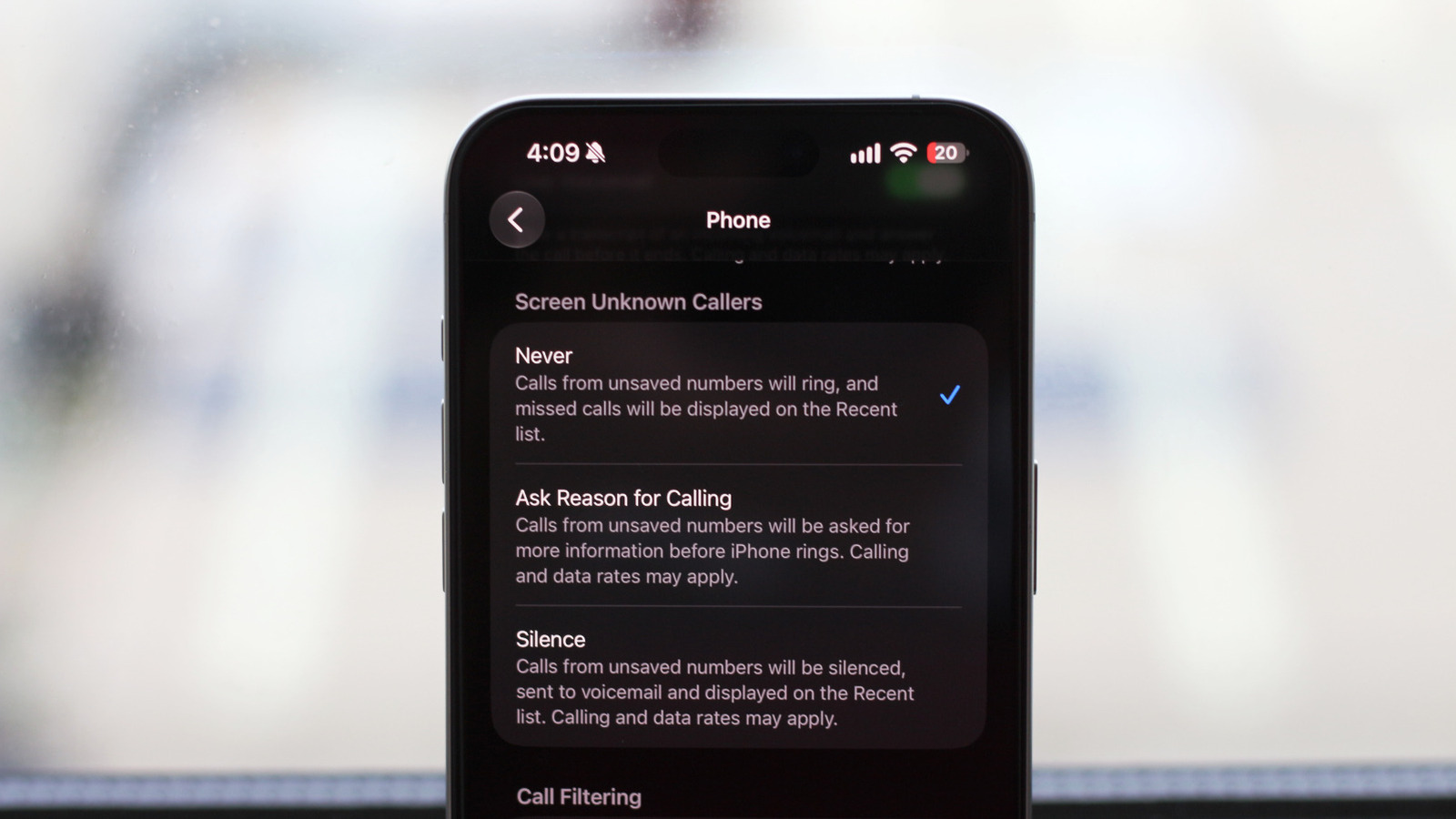
If you have an iPhone, navigate to Settings > Apps > Phone. The most important option is under the Call Filtering section; enable Spam and calls that your carrier identifies as junk won't ring. They'll be automatically sent to voicemail, and in the Phone app's Calls tab, they appear under the Spam section (accessible under the top-right button).
To further keep your call logs tidy, enable the Unknown Callers option in the same Settings box. With this, recent calls from non-contacts appear under the Unknown Callers section (available via the mentioned top-right button in the Phone app). Use Mark as Known to remove a given number from this section if needed.
Back on the Settings page, review the Screen Unknown Callers section, where you have three options. Never is the default, where every incoming call rings normally.
Source link





