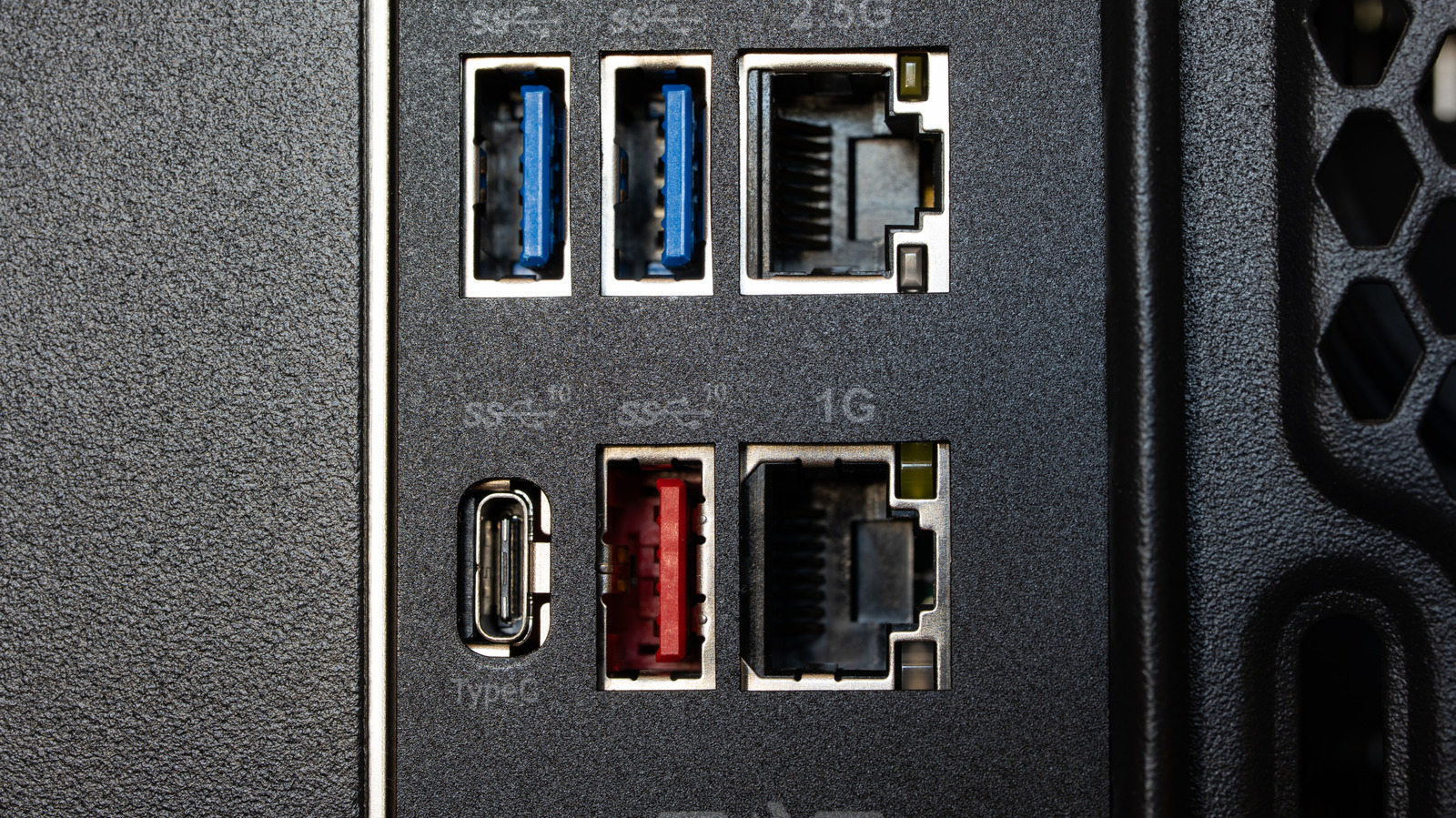
While there's no color-coding standard, red USB ports typically indicate these features.
Pick a USB port at random and you'll probably see either black, white or blue. While those colors are fairly standard, red, yellow or purple USB ports have also popped up on some devices. It's often unclear what exactly the color signifies. The unsatisfying yet true answer is "it depends," but it's worth looking into what a red USB port on your device could mean.
An organization known as the USB Implementers Forum sets the specifications of various USB types, but it doesn't determine what ports themselves can look like, so manufacturers are free to apply colors like red however they see fit. Different companies typically stick to one use for each color, though, and they tend to use red to signify a few similar things, including fast speeds and always-on ports.
In general, red is used on ports of the USB 3.2 or 3.1 Gen 2 standards. Ports of this type can transfer data at up to 20 Gbps, making them some of the fastest ports in common usage. These standards were succeeded by USB4, which can reach speeds of 40 to 80 Gbps, but is only available in USB-C formats, and these are not color-coded. For most purposes, that means a red USB port is likely to indicate the fastest port available on your device.
Red ports can carry other meanings, though. Some manufacturers use red to mark always-on charging ports, which can continue supplying power to connected devices even when your computer is turned off.
Source link