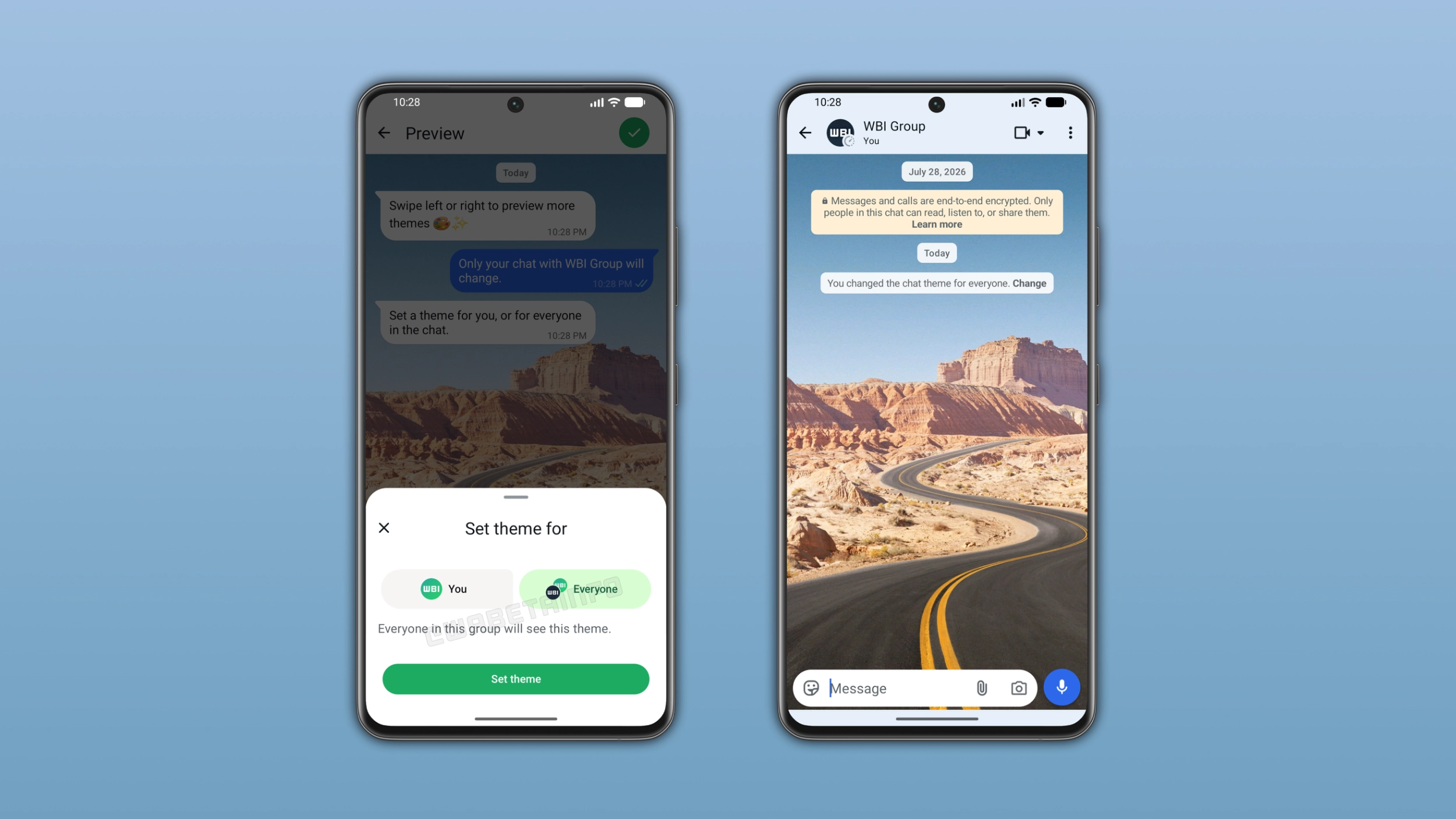
WhatsApp is making it possible to share a chat theme with everyone in a conversation. Users can set a new wallpaper or a theme and apply it to both sides of the chat at the same time. The recipient will see the same theme without updating it manually.
Enter your email address to subscribe to this blog and receive notifications of new posts by email.
In the post about the WhatsApp beta for iOS 26.37.10.16 update, we announced a feature to sync chat themes. The update would add a new option to let users choose whether to apply the theme only for themselves or for everyone in the conversation. This means that users could share the same wallpaper, theme, and bubble color with the other person or with all members of a group. The other participants would see the shared theme automatically without configuring it manually.
WhatsApp is making it easier for users to share the look of their conversations. When users set a theme for a specific chat, they can now choose to apply it for everyone. We discovered this with the WhatsApp beta for Android 2.26.46.8 update, which is available on the Google Play Store. With this update, WhatsApp is rolling out shared chat themes to some beta testers. The update adds a new option in the theme settings that lets users decide who can see the theme they choose.
Users can share a theme by opening a conversation. Here, they need to tap the overflow menu and select "Chat theme".
Source link