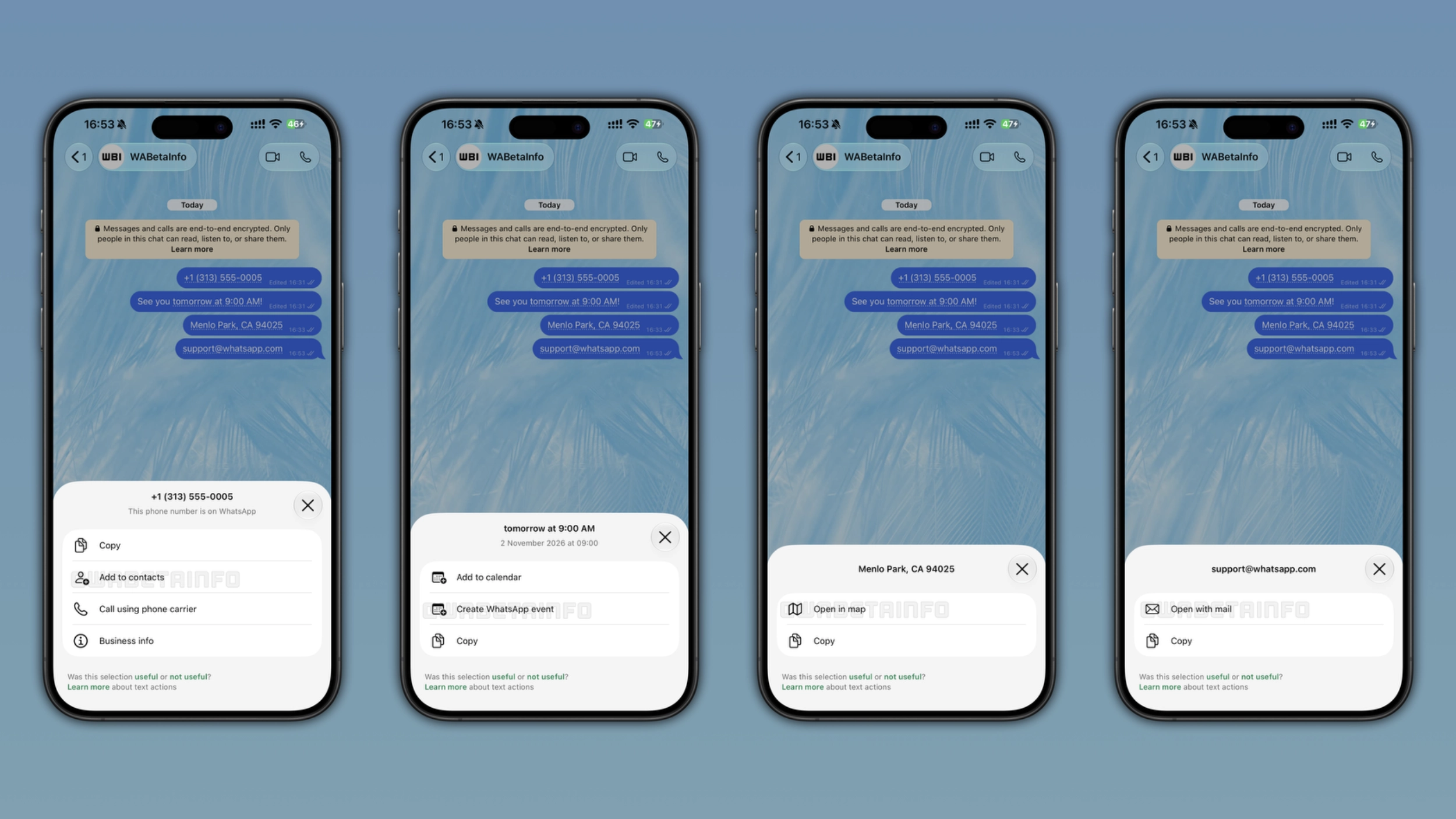
WhatsApp is introducing a feature that automatically detects phone numbers, dates, addresses, and email addresses. When WhatsApp detects them in a message, the app shows a dotted underline below the text to suggest some shortcuts. Users can tap the shortcut to see what they can do with it or keep chatting.
Enter your email address to subscribe to this blog and receive notifications of new posts by email.
In the post about the WhatsApp beta for Android 2.26.36.5 update, we announced a feature that lets users manage their events in a new hub. With this functionality, WhatsApp added a new section to the app settings where users can create, manage, and review their events. The hub lets users create an event with a name, date, time, location, and an optional call link. By listing events in the same section, WhatsApp makes it easier for users to find them without opening every chat.
To make event creation easier, WhatsApp is introducing a new shortcut right within the conversation screen. However, event creation is just one of the four shortcuts available with the latest update. When WhatsApp recognizes a phone number, a date, an address, or an email address, the app marks the text with a dotted underline to let users know that an action is available. With the latest updates for iOS and Android, WhatsApp is rolling out smart message text actions. This functionality helps users save time when they interact with their messages.
The latest update introduces smart text actions.
Source link