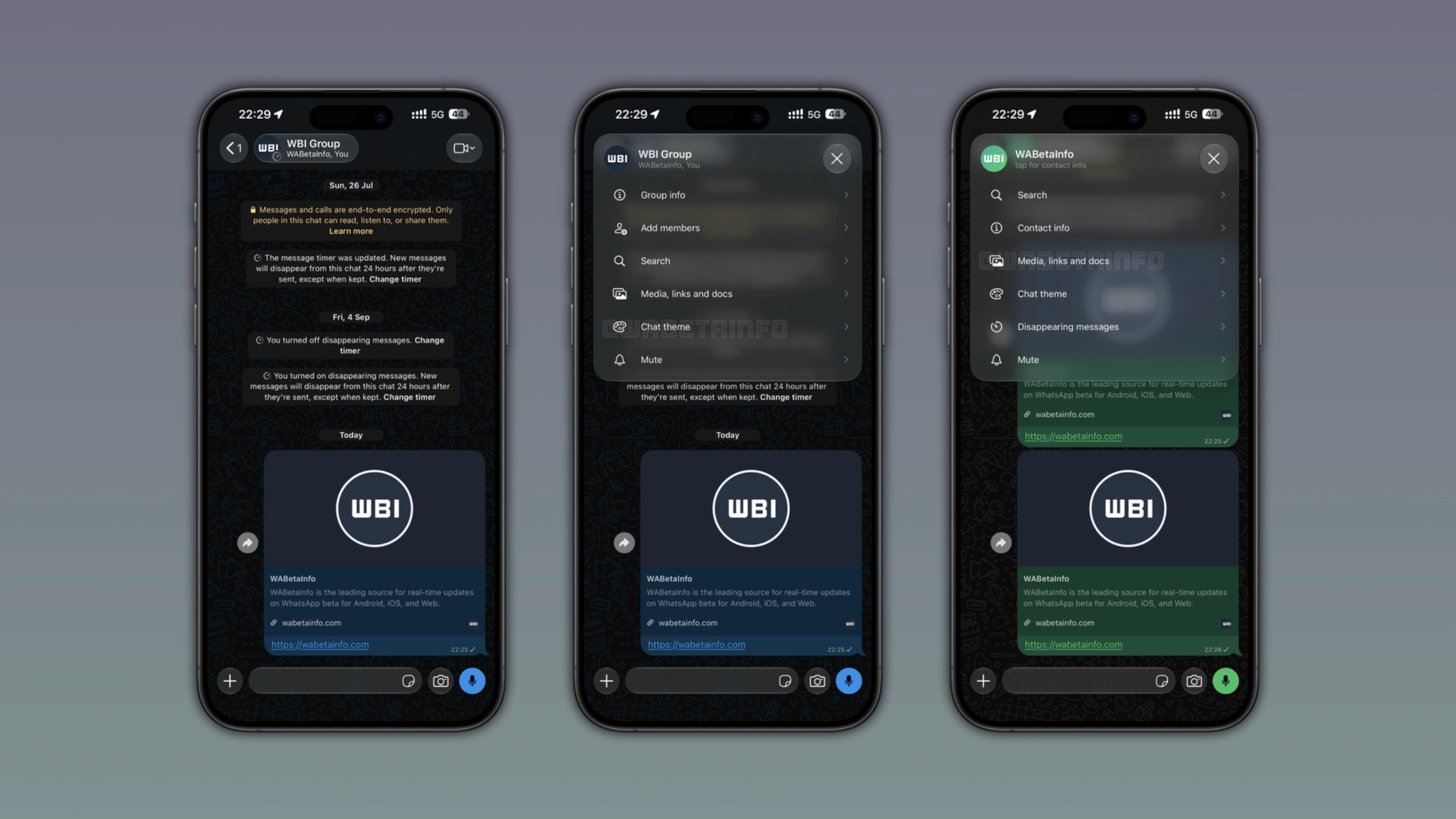
WhatsApp is bringing new controls to the chat interface on iOS to access some options in the chat info screen. The update also fixes a readability problem with the navigation bar. This experience is available for accounts that already have the Liquid Glass interface enabled.
Enter your email address to subscribe to this blog and receive notifications of new posts by email.
In the post about the WhatsApp for iOS 26.35.72 update, we announced the full Liquid Glass design for the chat interface. The update makes the chat bar, navigation bar, and the message menu compatible with Liquid Glass. The navigation bar is transparent on iOS 26 and a uniform background layer on iOS 27 when content scrolls behind it. However, some users experienced a readability issue with certain wallpapers. As a result, the contact name at the top of the screen was hard to read against the background.
WhatsApp is now introducing a feature that solves the readability issue. At the same time, the update also adds new functionality to the navigation bar. We discovered this feature with the WhatsApp for iOS 26.39.75 update, which is available on the App Store. With this update, WhatsApp is rolling out a new navigation experience in chats and groups. The feature is currently available for accounts that already have the Liquid Glass interface enabled.
The latest update brings a new button to the navigation bar that includes the profile photo, the name, and the online status or last seen. The button uses the Liquid Glass design, so its background adapts to the wallpaper behind it.
Source link