iPhone network settings affect cellular connectivity, data usage, battery consumption, and roaming.
5G, LTE, APN, network selection, and Dual SIM options behave differently based on carrier and device configuration.
Network resets and carrier checks can address persistent mobile data and connectivity issues.
A weak mobile connection is not always a network problem. Sometimes the iPhone is just set to the wrong cellular option for the moment. Choosing 5G or LTE changes battery use. Data roaming changes cost while traveling.
Network selection changes how the phone picks a carrier. APN settings can affect mobile data on some setups. These controls sit inside the iPhone's cellular settings. Their names and locations shift by iOS version, model, carrier, region, and SIM or eSIM setup. Knowing what each one does helps fix connection problems without changing settings that did not need changing.
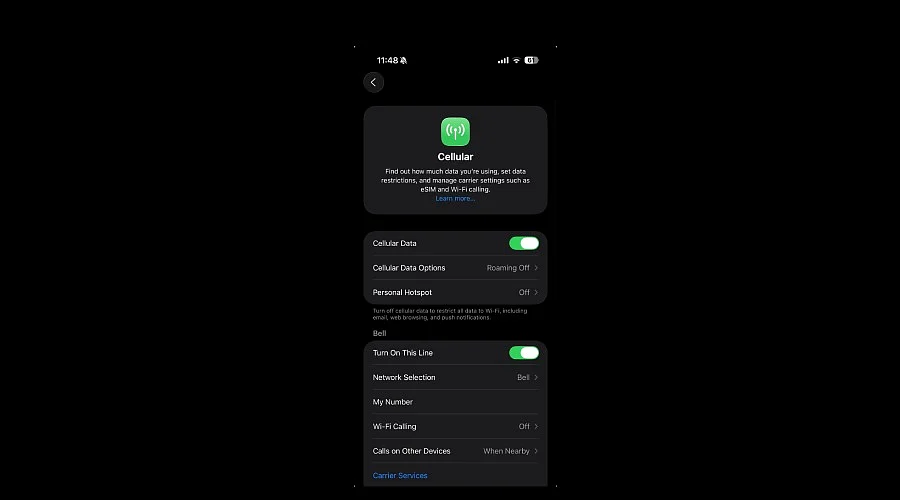
Open Settings and tap Cellular or Mobile Data. The exact label can vary by region, iOS version, and carrier configuration. Inside, the screen lists the active SIM or eSIM along with data usage for each app.
A submenu called Cellular Data Options or Mobile Data Options holds the settings that shape the connection itself: Voice & Data, Data Roaming, and Network Selection. On Dual SIM iPhones, the same screen also includes controls for managing the available cellular plans.
Inside Cellular Data Options, Voice & Data lists 5G Auto, 5G On, and LTE. The exact options depend on the iPhone model, carrier, and region. 5G Auto, also known as Smart Data mode, lets the iPhone use 5G when it provides a noticeable improvement and switch to LTE when it does not.
Source link