
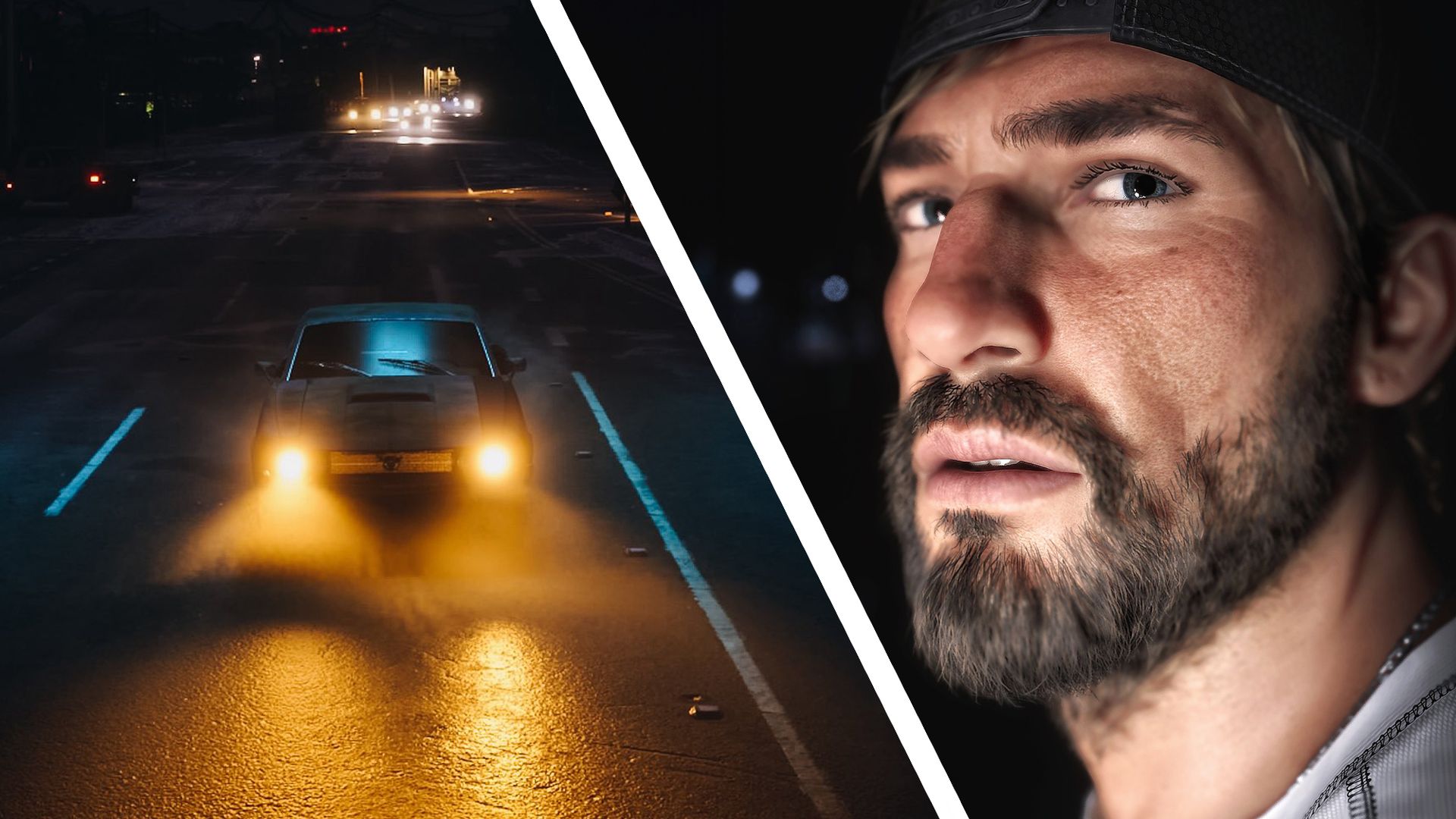
Our GTA 6 review hails the game as "graphically beautiful and striking" — and some early players are so struck by its visuals they're spending more time in the game's photo mode than on the missions themselves.
The GTA 6 'Photo Studio' can be found by pausing the game and pressing the square button on the PS5 or the X button on Xbox. As a photographer, I'm staggered by the number of technical and editing options on offer — and I'm clearly not alone.
The filmmaker Patrick Tomasso, for example, has hailed GTA 6 as a "cinematography simulator", using the custom lighting and editing tools to create the moody, neo-noir shots below.
GTA 6 is a cinematographer simulator. here’s some shots i took in photo mode. the custom lighting and editing tools are so much fun to play with. https://t.co/aPHpMEFH1YNovember 19, 2026
These kinds of shots are possible because the game's photo mode goes well beyond offering basics like aspect ratio, depth-of-field control, exposure adjustments, and grain.
The 'Lighting' section lets you add layers (or slots) for sculpting the light in your scene, moving the lights around and letting you adjust their size, intensity, and beam angles. It's a photographic world within a world, and I wouldn't be surprised to see a real-world Grand Theft Auto 6 exhibition touring the world in 2027.
Grand Theft Auto VI – Photo Mode SettingsA quick look at the Photo Mode options in GTA VI.#GTAVI #GTA6 #VirtualPhotography https://t.co/30J728e0rwNovember 18, 2026
As some have noted on X , Rockstar may well have "accidentally shipped the best camera app of the year".
Source link





