Readdle updated its Documents app for iPhone and iPad this week with Voice Notes, a new AI-powered feature that lets users record conversations and automatically generate transcripts, summaries, and follow-up notes. Here are the details.
While the habit of recording meetings, lectures, or even one’s own thoughts is not particularly new, modern AI tools and models have made it considerably easier to extract useful information from these recordings without having to listen back to them in their entirety or take copious notes that can distract from the actual conversation.
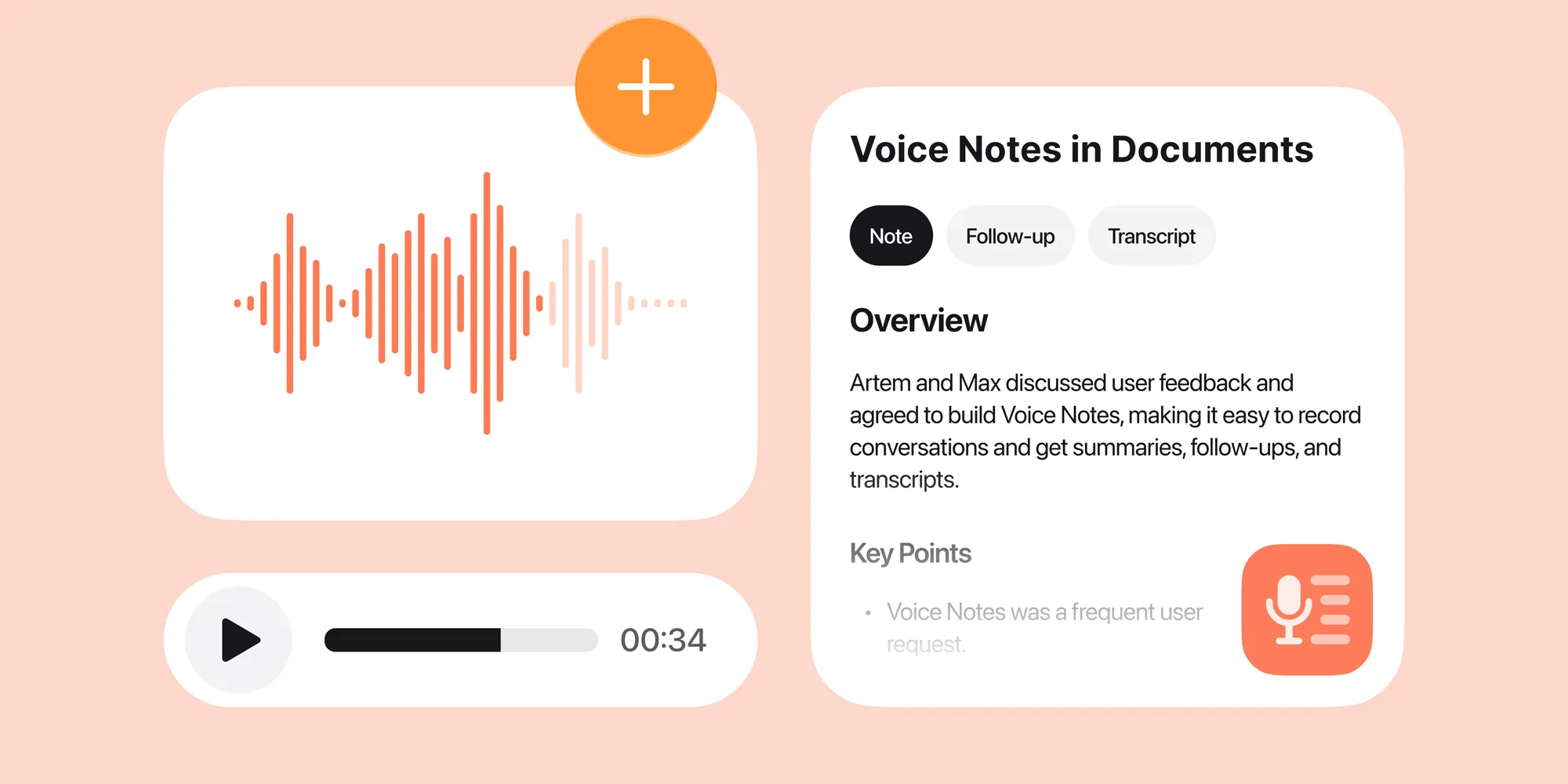
This week, Readdle’s Documents introduced Voice Notes, which “lets you record audio and turn it into a summary, follow-ups, and a full transcript,” as the company put it.
Users can start a new recording session by tapping the “+” button in the app and selecting Voice Notes. Alternatively, they can start recording from the iPhone’s Action button, which is a nice touch.
Users can cycle through these three tabs, where they can also listen to the original recording or copy and share the information.
Readdle says Voice Notes can recognize multiple languages in the same conversation, with the actual transcript preserving the languages as spoken, “while the summary and follow-ups are generated in the most frequently spoken language.”
Each voice note is saved as a single file in Documents that contains the original recording, transcript, summary, and follow-ups. txt file.
Source link