
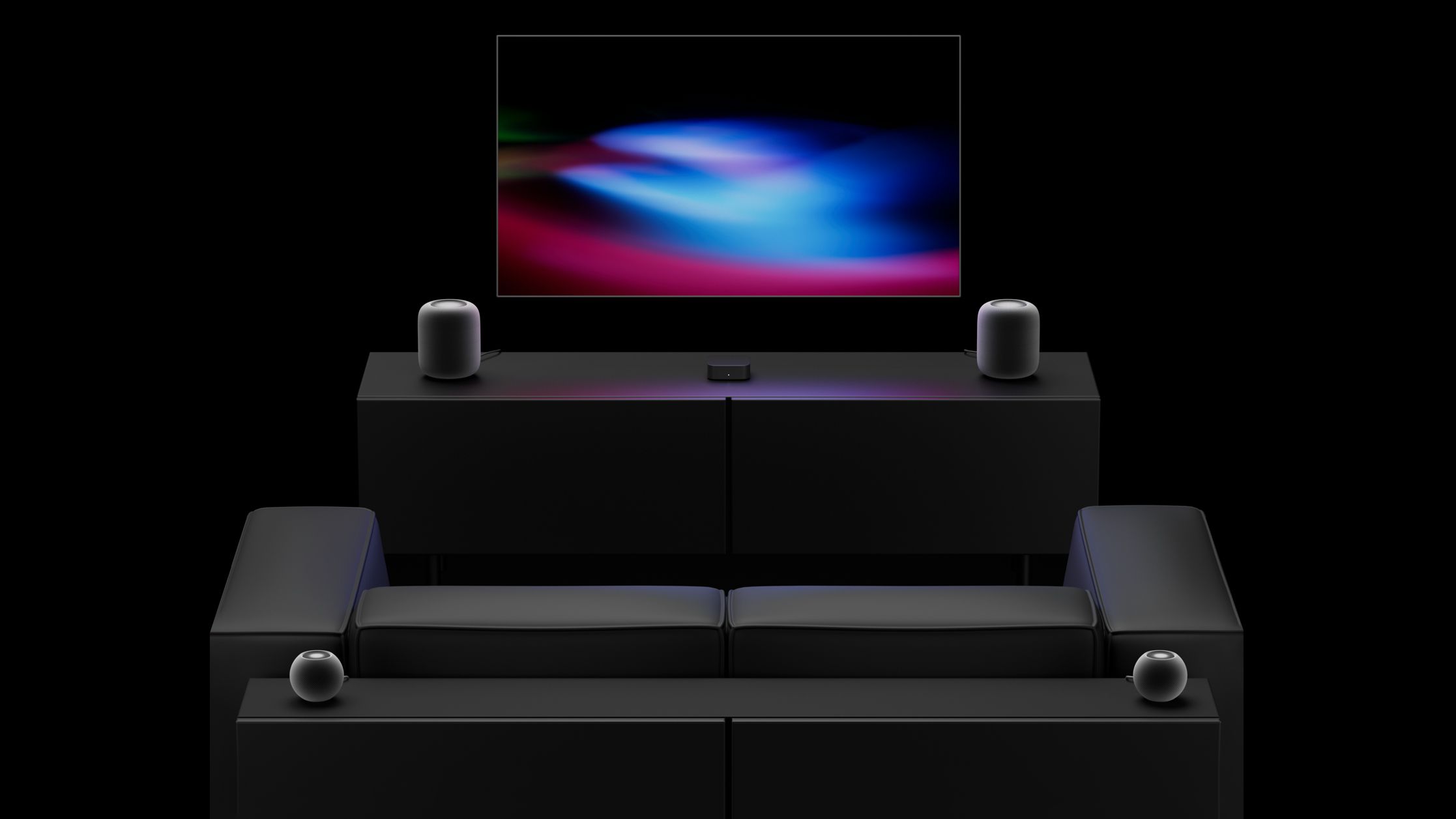
The new fourth-generation Apple TV 4K announced last week can connect to up to four HomePods in front-left, front-right, rear-left, and rear-right positions, enabling an all-Apple surround sound system for home theater setups. There is also a related new feature that has not received as much attention: Whole Room Audio. Apple says the Whole Room Audio feature spreads sound evenly across four HomePods in a room. "Whole Room Audio spreads sound evenly across four HomePod speakers for audio that's perfect for parties or game day," says Apple. 2's audio settings when four HomePods are connected to the new Apple TV 4K. You'll get new audio controls when you set up four HomePods with the new Apple TV. Speaker Mode: Surround Sound or Whole Room Audio. Specifically for Surround Sound: • Spatialize Stereo: Control whether to play a spatially processed mix for video and music. As reported in September, when disabled, normal stereo plays on the front speakers, while rear speakers receive an empty mix. Defaults to On for Video and Music. • Surround Level: Adjust the rear pair relative to the fronts. 5 dB steps. Defaults to Normal (0 db). There are no audio options for Whole Room Audio, as it uses stereo channels for both speaker pairs. The channels are assigned diagonally: front-left and rear-right share the left channel, while front-right and rear-left share the right channel.
Source link





![Apple Watch Ultra 3 Hits New Low Price With Amazon's $299 Discount [Updated]](https://images.themorningpulse.fyi/uploads/2026/10/rss-mvgs68je-usvjmk-meta.jpg)