After launching Moonlock for Mac last year, MacPaw is bringing its scam-detection app to iPhone today. Here are the details.
When MacPaw launched Moonlock on the Mac, the company described its new app as something that “complements Apple’s built-in security tools, protects from Mac-specific malware, and helps you understand cybersecurity better.”
In practice, the Mac app includes real-time protection against potential threats. Users can also manually scan their Mac for malware, including suspicious files hidden in system folders and email attachments.
Beyond that, Moonlock includes a VPN to encrypt internet traffic, a network inspector that shows where apps are sending data and lets users block connections to specific countries, and an AI-powered scam detector that analyzes messages pasted into the app for signs of phishing. It also helps users review and adjust macOS security settings.
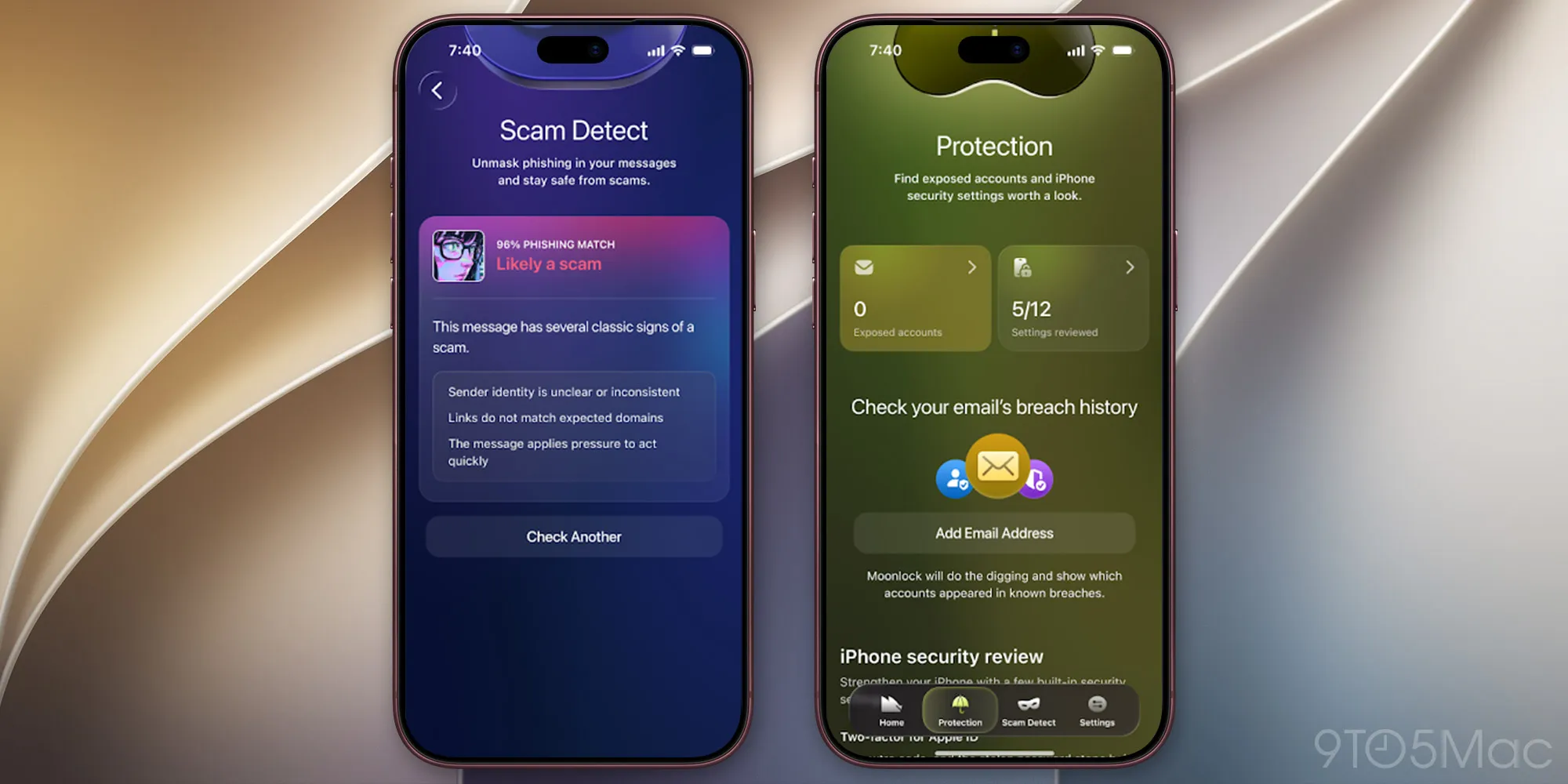
Today, MacPaw is launching Moonlock for iPhone, a move the company says “helps people recognize potential scams, understand their iPhone’s security and take practical steps to improve it.”
Unlike the Mac version, Moonlock for iPhone doesn’t scan for malware, as iOS prevents third-party apps from accessing other apps and their files. Instead, it focuses on identifying potential scams, checking for exposed personal information, and helping users improve their iPhone’s security.
On the iPhone, Moonlock lets users quickly check suspicious texts, screenshots, and QR codes for phishing, in addition to checking whether their email addresses have appeared in known data breaches.
As MacPaw explains it, Moonlock’s Scam Detect “helps people check suspicious messages they encounter throughout the day.
Source link