Tech > Services & Software > Operating Systems > Mobile OS > Android
When the print on your Android display is too small to read, and the pinch-to-zoom feature isn't working as expected, try this.
How many times have you been on your phone, wanted to read something (a piece of news, a website, etc.), only to find the text is too small and every effort to zoom in doesn’t work?
This happens quite often when I’m viewing content in the Google News app — especially in the morning, when my eyes are still in “wake up” mode. It can be frustrating. And it’s not only text. Sometimes there’s an image I need to enlarge, but for whatever reason, pinch-to-zoom isn’t working on that particular screen.
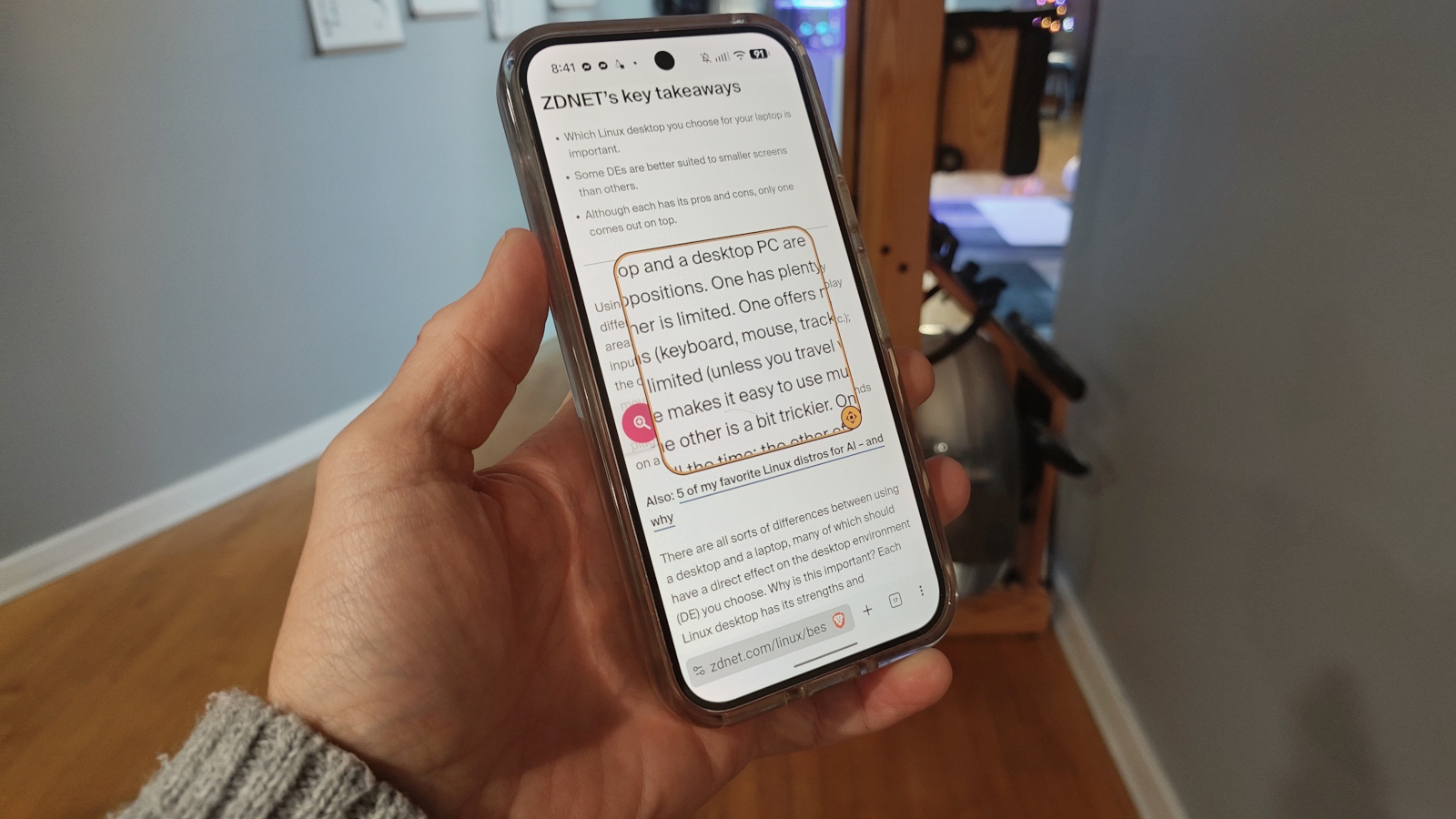
Fortunately, there’s an option you can enable to ensure you can always zoom in on your Android device, no matter what’s on the screen. The option is found in Accessibility and is aptly called Magnification. With this feature enabled, you can quickly zoom in on the screen to enlarge any displayed content. It doesn’t matter what’s on the screen or what app is showing the image, page, or text — Magnification will magnify it.
This iteration of the feature has been available since Android 15. I found it by accident while poking around the Settings page. Since then, I’ve used it quite a bit, and it’s eased my morning frustration with reading news sites.
The Magnification feature is quite simple: once enabled, a magnifier shortcut appears on the screen.
Source link