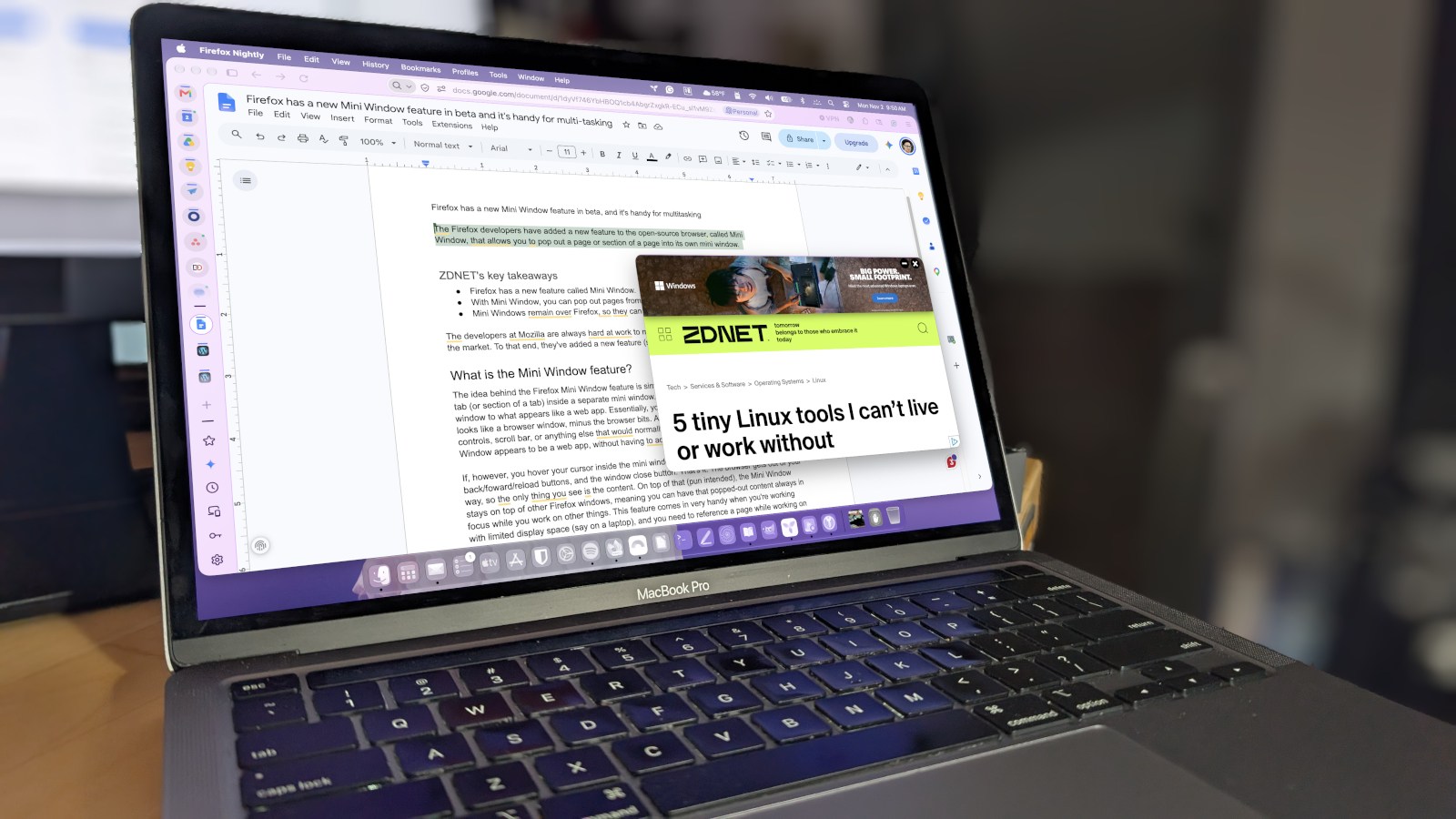
The open-source browser's newest feature lets you pop out a page - or part of a page - into its own mini window. See why this is incredibly cool.
The developers at Mozilla are always hard at work to make Firefox the most useful browser on the market. To that end, they’ve added a new feature (still in beta), called Mini Window. I started using Mini Window as soon as it appeared in Firefox Nightly, and I’ve been very happy with how it performs.
The idea behind the Firefox Mini Window feature is simple: allow users to move a currently open tab (or a section of a tab) into a separate mini window. Think of it as moving a tab from one window to what appears like a web app. Essentially, I can move a page (or section) into what looks like a browser window, minus the browser bits. At first blush, there’s no address bar, controls, scroll bar, or anything else that would normally be associated with Firefox. The Mini Window appears to be a web app, without having to actually create it.
However, when I hover my cursor inside the Mini Window, I do see the address bar, the back/foward/reload buttons, and the window close button– and that’s it. The browser gets out of your way, so the only thing I see is the content.
On top of that (pun intended), the Mini Window stays on top of other Firefox windows, so I can have that popped-out content always in focus while I work on other things.
Source link